A vendor visit is a guest pass with paperwork attached. When a contractor, mover, or service company arrives, Veni can require a signed compliance form before the front desk lets them in, and check the visitor's ID at the desk as part of entry.
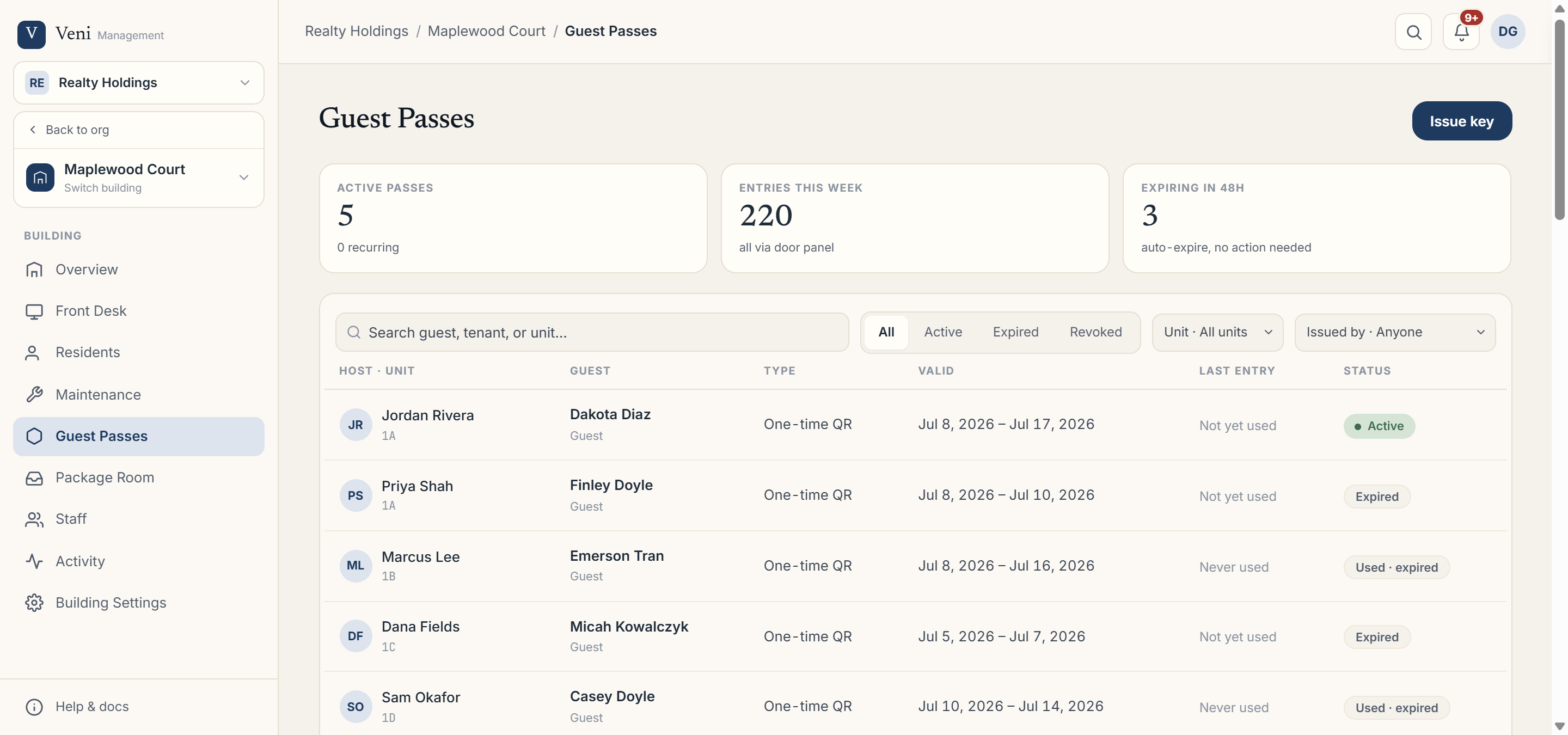 The Guest Passes tab, where vendor passes and their status appear
The vendor compliance form
Turn the form on under Building Settings → Key exchange & vendor compliance, where you can also edit its terms (the form is versioned, so past signatures stay tied to the terms in force at the time). At signing, Veni captures the signer's name, company, and phone. For a crew, the party roster is recorded separately, one entry per person.
Signing at the desk
If a vendor pass is unsigned when the visitor arrives, the front desk presents a sign-on QR at the desk; the vendor signs on their own phone. Until it's signed, the pass shows Unsigned; once complete it flips to Signed.
Tracking documents
In front desk buildings with ID checks on, the Guest Passes tab adds a Documents filter row: Any, ID checks, Vendor forms, Key terms, Awaiting signature, and stat cards for Documents on file and Awaiting signature so you can see at a glance who still owes a signature.
More in Guest passes
- Issuing a guest pass and how QR redemption works2 min read
- Issuing a management key1 min read
- Tracking, revoking, and expiring guest passes1 min read
- Recurring and scheduled guest passes2 min read
- Setting up the vendor compliance form2 min read