Fixed window or recurring schedule
When you issue a key from the Guest Passes tab, the Issue access key modal asks how long it should stay valid. The Validity control gives you two modes:
- Fixed window: pick Valid for (24 hours, 48 hours, 7 days, or 30 days) and a Max uses cap (Unlimited, 1, 5, or 10).
- Recurring schedule: pick the days of the week the pass should work, then set a From and Until time for each of those days.
For a recurring pass you choose at least one day using the row of day pills (Mon through Sun), then set the start and end time that applies every one of those days.
When recurring makes sense
Recurring passes fit anyone who needs the same access on the same schedule week after week: a cleaning crew that comes every Tuesday and Friday morning, a dog walker who visits on weekday afternoons, or a repeating maintenance vendor. Instead of reissuing a pass every visit, you set the days and hours once and the pass works on that schedule automatically. Recurring passes have no use limit within their window, since they're meant to be reused on every matching day, and they run until you revoke them or, if you set one, until an end date.
For one-off visits like a single delivery or a one-time repair appointment, use Fixed window instead.
Residents can set these up too
Tenants aren't limited to passes you issue. They create their own guest passes, including recurring ones, from the Veni resident app using the same fixed-window-or-recurring choice. The Issue access key modal in the portal notes this directly: passes you create here are management-issued keys, while tenants manage their own guests from their phone.
After you generate the key
Once you generate a recurring key, you get a QR code and an access code you can copy, plus an option to email the pass link directly to the visitor. The pass then shows up in the Guest Passes table with a Recurring type badge and its schedule summarized in the Valid column (for example, "Recurring, Mon to Fri").
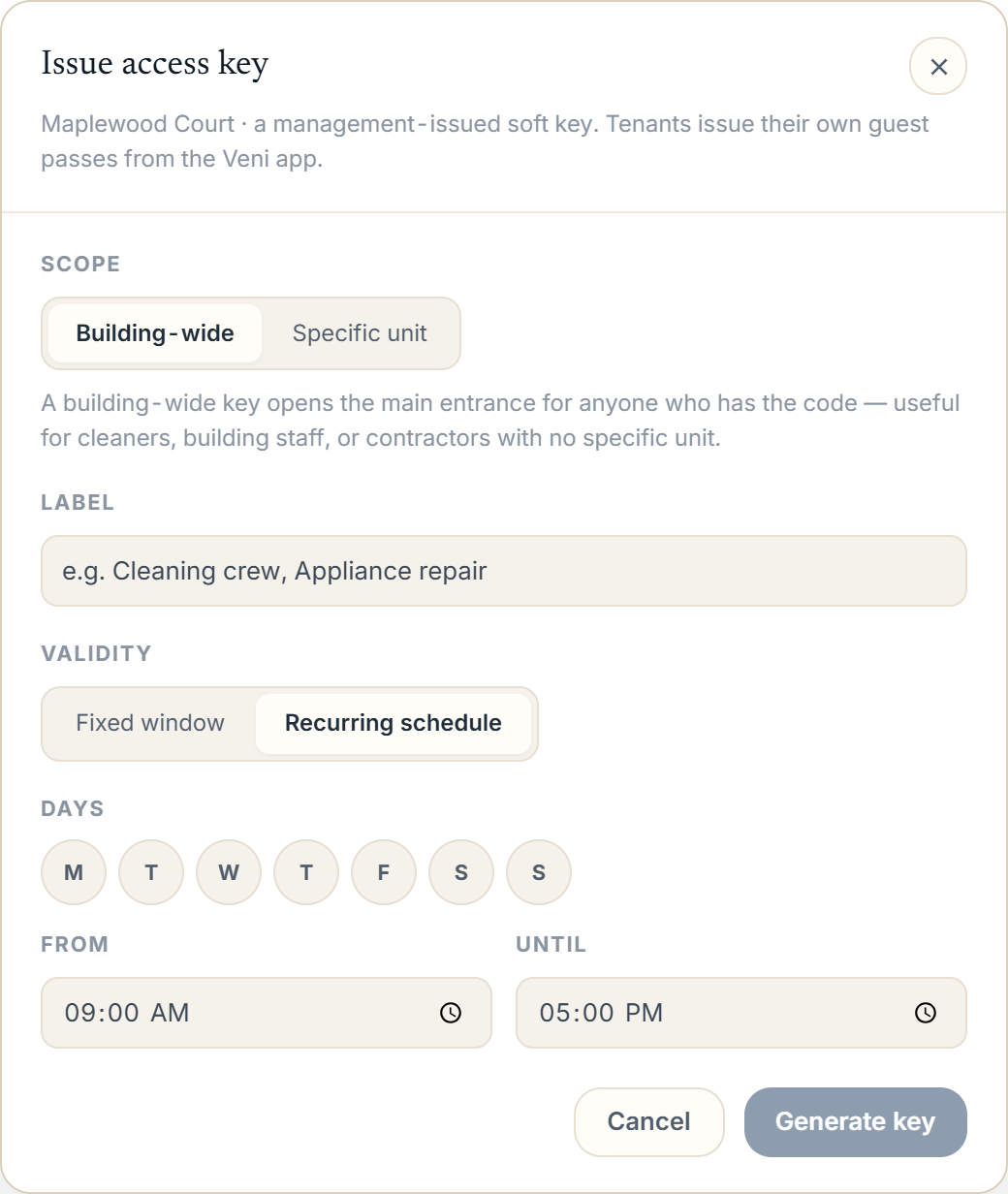 Issue access key modal with Validity set to Recurring schedule, showing day pills and From/Until time fields
More in Guest passes