Going on duty
A superintendent toggles On duty / Off duty per building from the Maintenance tab in the resident app. While off duty, a subtitle reminds them "Off duty, you won't receive new assignments," and they can't claim unassigned requests.
Direct assignments
When management assigns a request directly, the super sees a New assignment banner with the resident, unit, and how long ago it was reported. From there they can Accept or Hand back with a reason (not my trade, can't take it, or something else) and a note. Handing back before starting work returns the request to the portal's Needs routing queue and notifies management.
Once accepted, the super taps Start work to move it to In progress.
Unassigned requests
Requests that aren't directly assigned go out to every on-duty super at once, and show up under the Unclaimed tab tagged "Sent to all on-duty supers." Tapping Claim this is first-come-first-served: whoever claims it first gets it, and everyone else who tries afterward sees "Already claimed by [name]" instead.
Resolving
From In progress, the super taps Resolve with an optional note and up to 6 photos. What happens next depends on the building's settings:
- If resident confirmation is required, the request moves to Awaiting resident confirm and auto-closes a few days later if the resident doesn't respond
- Otherwise it closes immediately
Mine, Unclaimed, Done
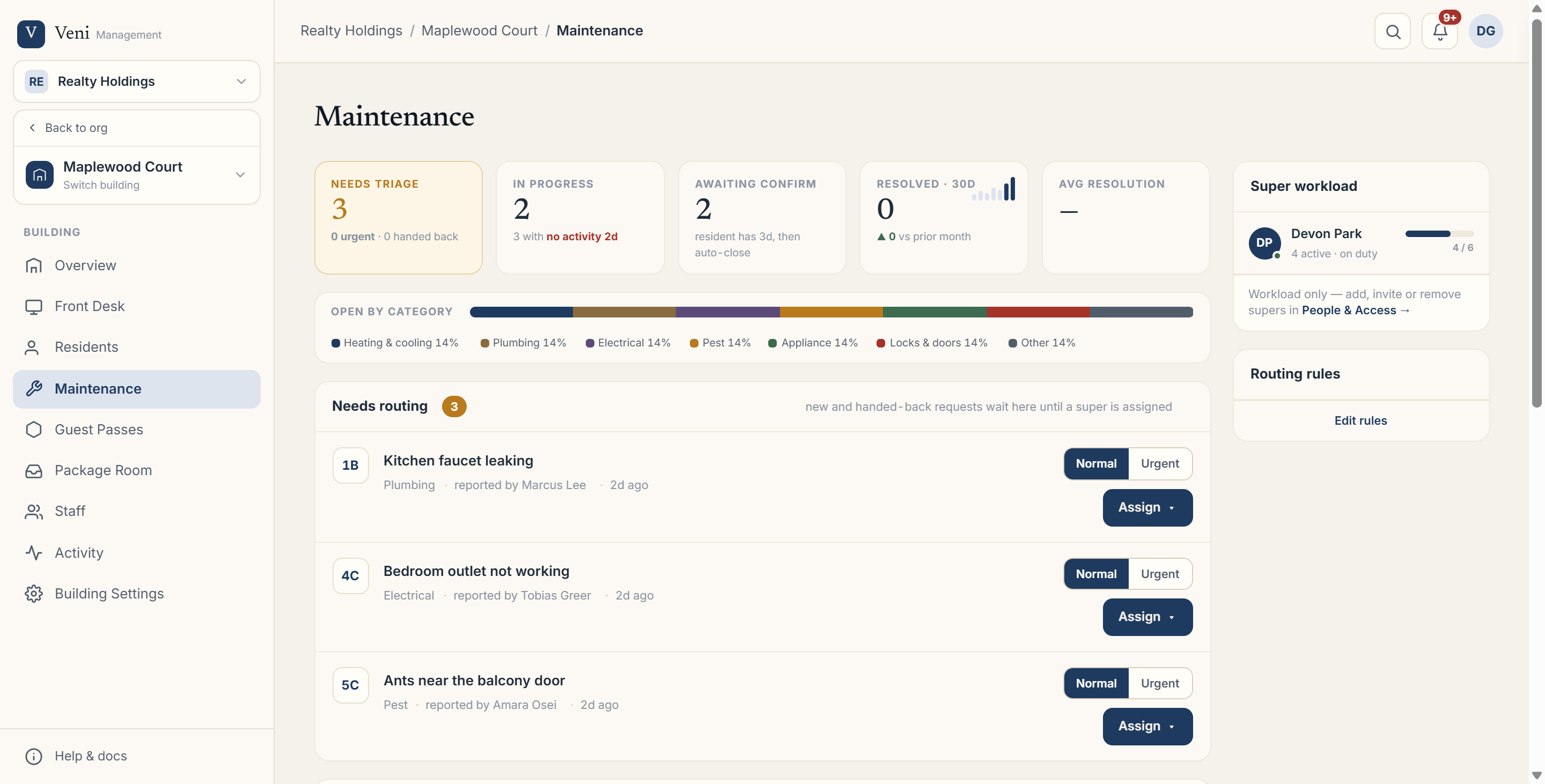 Portal Maintenance tab showing the status lanes for a building's requests
The super's queue is organized into three tabs: Mine (split into Active work and requests Awaiting resident confirmation), Unclaimed, and Done. These map directly to the same states management sees on the portal side, Needs routing, Accepted, Awaiting acceptance, In progress, Awaiting confirmation, and Closed, just filtered to what's relevant to that superintendent.
More in Maintenance