The report flow
Residents report issues from the Maintenance tab in the resident app, using the Report an issue button. This only appears for a resident whose building has an active superintendent and whose plan includes maintenance management.
Tapping it opens a guided assistant that greets the resident with "Hi, I'll help you report this and get it to your super fast. What's going on?" The assistant asks a couple of clarifying questions, then asks for photos, before offering to draft the request. If the assistant fails for any reason, the resident is dropped onto a manual form instead, so a report can always go through.
Category, urgency, and the draft
The synthesized draft opens in an editable form, flagged "Drafted by Veni AI from your answers, edit anything before you send." The resident can adjust:
- Category: Plumbing, Heating & cooling, Electrical, Appliance, Pest, Locks & doors, Other
- Title and description
- Urgency: Low, Normal, Urgent
- Photos, up to 6, added from the camera or photo library
Submitting creates the request and, in the same step, runs Veni's routing engine to route it to a superintendent.
What managers see
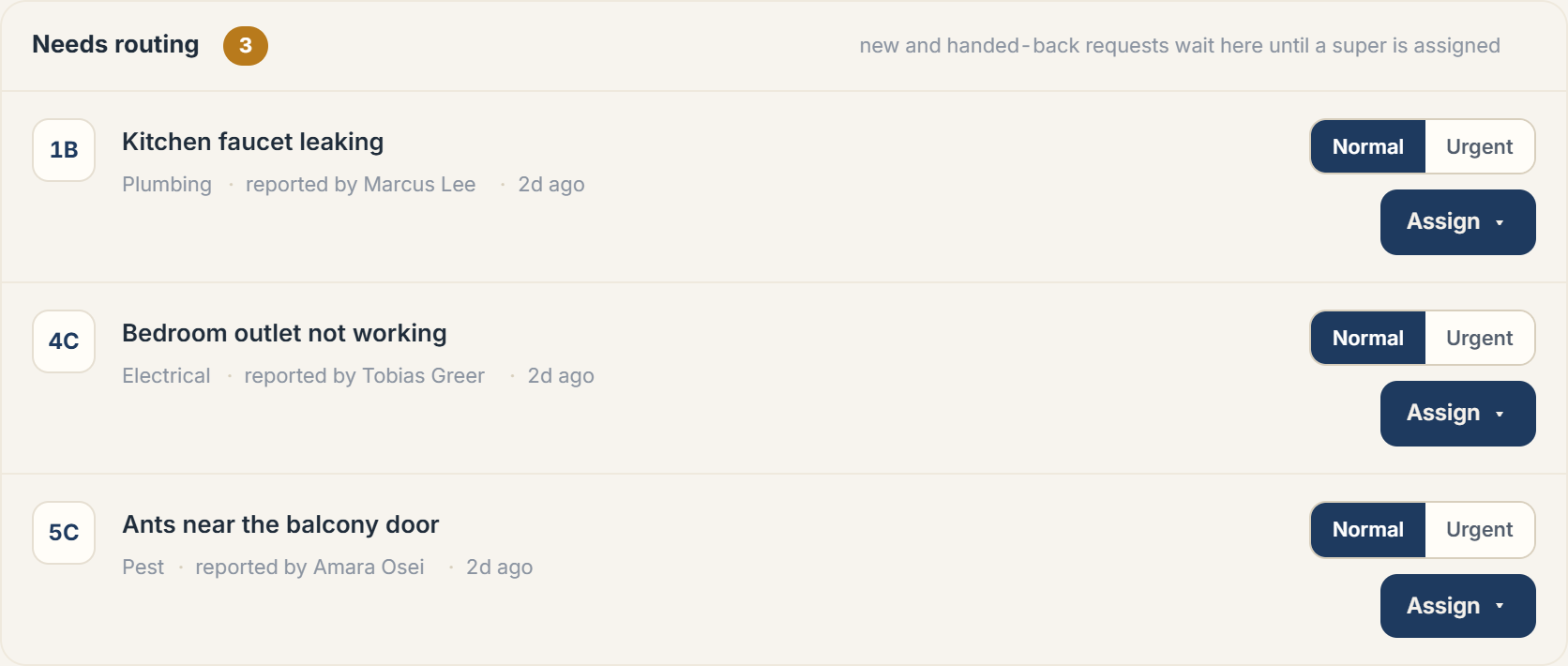 Portal Maintenance tab showing a newly reported request in Needs routing
A new request lands in the building's Maintenance tab with a Needs routing state, meaning it hasn't yet been accepted by a superintendent. Building managers get an in-app notification titled with the request's own title and body "New request, [category]"; urgent requests are flagged with a higher-severity notification.
From here, the request follows the same dispatch lifecycle every other request goes through: assignment, acceptance, in-progress work, and resolution, all visible from the request's detail view in the portal.
More in Maintenance