Opening a request
Click any row in the building's Maintenance tab to open its detail view. The header shows the request title, unit, reporter, and category, along with a status badge (Needs routing, Accepted, Awaiting acceptance, In progress, Awaiting confirmation, or Closed). A Progress rail down the side tracks the same lifecycle as five steps: Reported, Accepted, In progress, Resolved, Confirmed.
The shared thread
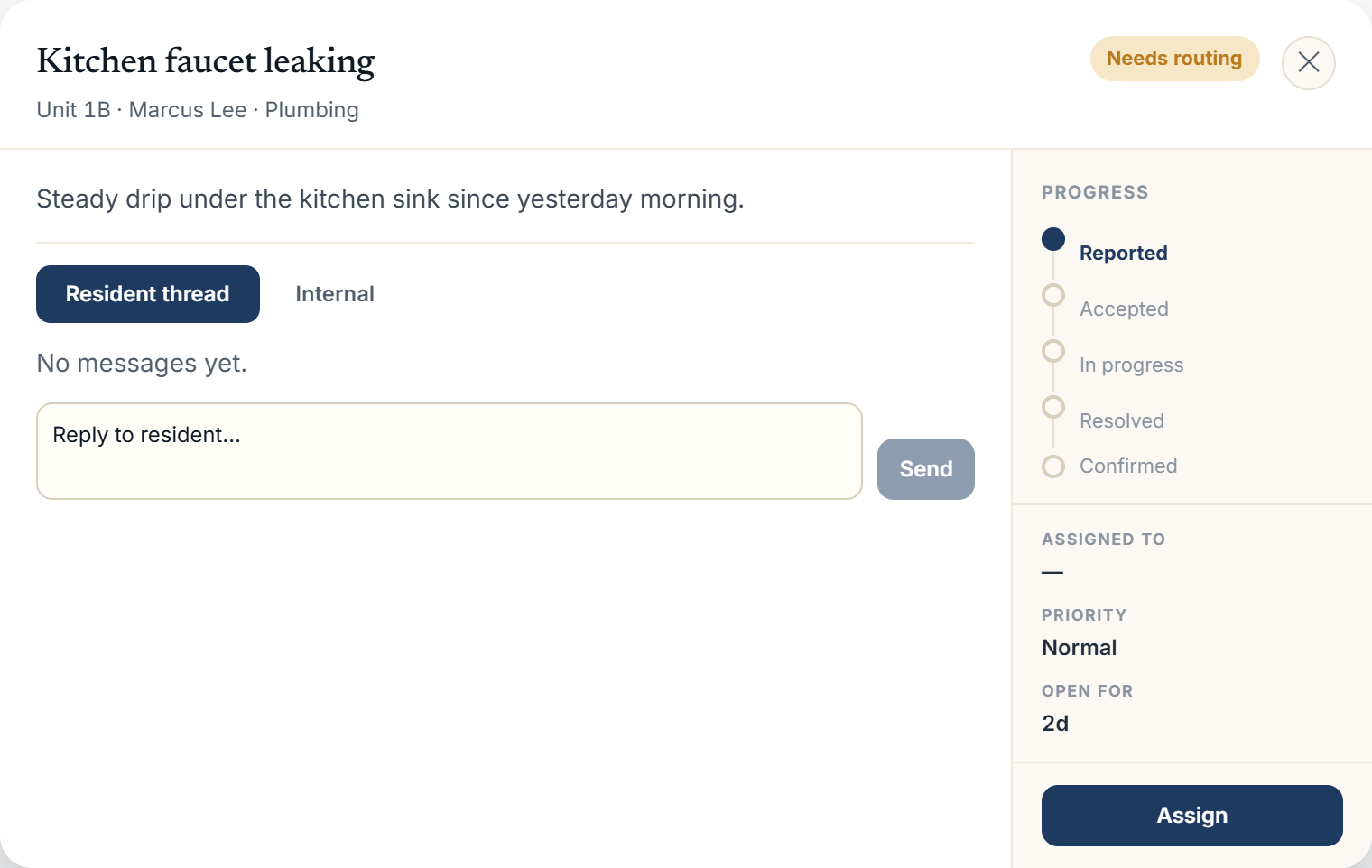 Maintenance request detail modal with the resident thread and dispatch sidebar
Messages are split across two tabs:
- Resident thread: visible to the resident, the assigned super, and management. Includes replies and lifecycle updates like acceptance, progress, and resolution.
- Internal: visible only to supers and management. Holds internal notes and dispatch-only system events (assignment, reassignment, hand-backs, claims), kept out of the resident's view by design.
Photos attached to the original report, and any photos a super adds when resolving, appear inline in the thread. They're pulled from private storage through an authenticated endpoint rather than a public URL, so only signed-in staff and the parties on the request can view them.
Management actions
The sidebar shows who the request is assigned to (name only, never their email), its priority, and how long it's been open. Depending on the request's current state, management can:
- Assign or Reassign to a superintendent, from a popover listing on-duty supers with a suggested match highlighted
- Mark resolved, with an optional resolution note and photos; the sidebar tells you whether resident confirmation is required before the request auto-closes
- Reopen a closed request
Replying from either tab posts to the thread immediately and notifies the relevant side of the conversation.
More in Maintenance