New maintenance requests land in Needs routing and wait there until a superintendent is assigned. Getting them to the right person quickly is the heart of running maintenance well.
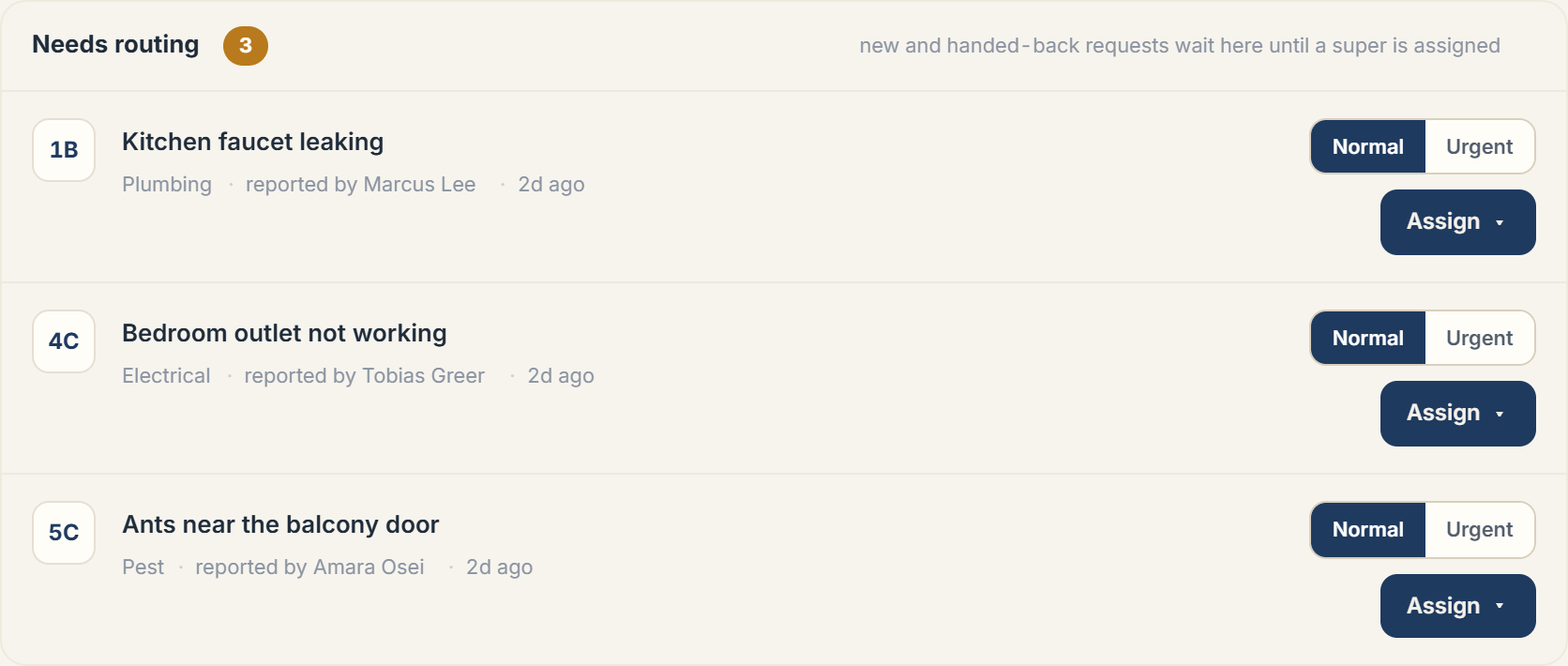 The Needs routing queue with the Assign action
The Needs routing queue
Every card in Needs routing shows the unit, the request title, its category, who reported it, and how long it's been waiting. Set the priority with the Normal / Urgent toggle, then choose Assign to send it to a building super. Once assigned, the super is asked to accept and start work.
Reassigning and hand-backs
If a super can't take a job, they hand it back with a reason; not their trade, can't take it right now, or something else, and it returns to Needs routing for you to route elsewhere. You can also reassign an in-progress request yourself; the accept cycle simply restarts with the new super.
Unclaimed jobs
Depending on your routing setup, some requests fan out to all on-duty supers as unclaimed jobs. The first to claim one owns it; claims are resolved atomically, so two supers never end up on the same job. Anything handed back always returns to your queue rather than sitting ownerless.
Super workload
The Super workload card on the right shows each super's active job count and whether they're on duty, so you can route toward whoever has capacity.
More in Maintenance