Maintenance runs on two things you configure: the superintendents who do the work, and the routing rules that decide who a new request goes to. Set both up once and most requests route themselves.
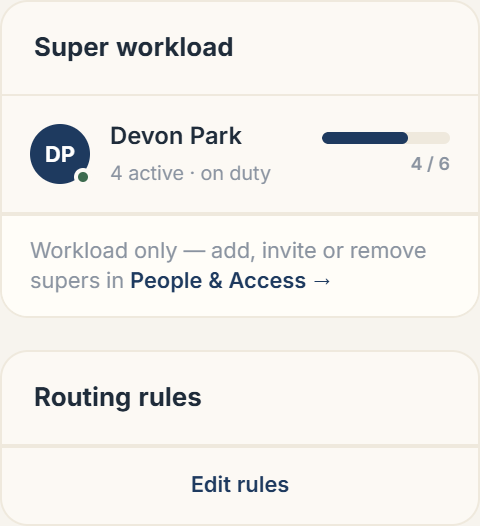 The Super workload and Routing rules cards
Adding a super
Supers are managed in People & Access. Use + Invite a person → Building supers to invite someone, or promote an existing resident to super for a building. From the Maintenance tab, the Super workload card links back to People & Access whenever you need to add, invite, or remove one. A super marks themselves On duty or Off duty in their app; off-duty supers don't receive new assignments.
Routing rules
Choose Edit rules (or Routing rules → Edit rules) to set how new requests are dispatched. Rules can route by:
- Category: send all plumbing to your plumber, all electrical to your electrician.
- Urgency: escalate urgent jobs.
- On-duty status and capacity: only route to supers who are on duty and under their active-job limit.
You can set each super's capacity and reorder rules so the most specific ones win.
Confirmation and stale jobs
Per-building settings control the safety nets: whether a resident must confirm a job before it closes (on by default, with a few-day auto-close), and how long a job can sit with no activity before it's flagged stale.
More in Maintenance
- How a maintenance request flows from report to resolution1 min read
- Assigning and reassigning maintenance requests1 min read
- How residents report a maintenance issue2 min read
- Inside a maintenance request: thread, photos, and actions2 min read
- A superintendent's workflow: accept, work, resolve2 min read