What a soft key is
A soft key is a time-bounded code that lets someone open a door without ringing a tenant or the front desk. It is meant for cleaners, delivery services, or a repeat guest who needs their own way in for a set window. The Soft keys card sits alongside the Doors section on a building's Doors screen.
Creating one
Click + New on the Soft keys card to open the New soft key modal and set:
- Unit (optional): pick a specific unit, or leave it as Building-wide if the key should not be tied to one resident.
- Valid for (hours): how long the code works, from 1 hour up to 2,160 hours (90 days).
- Max uses: how many times the code can be redeemed, from 1 to 50.
- Note (optional): a short label such as "Cleaner - Tues 9am" to help you recognize it later, up to 120 characters.
Click Create soft key to generate the code. Each key shows its code, its note and unit assignment, and a running count of uses (used/max).
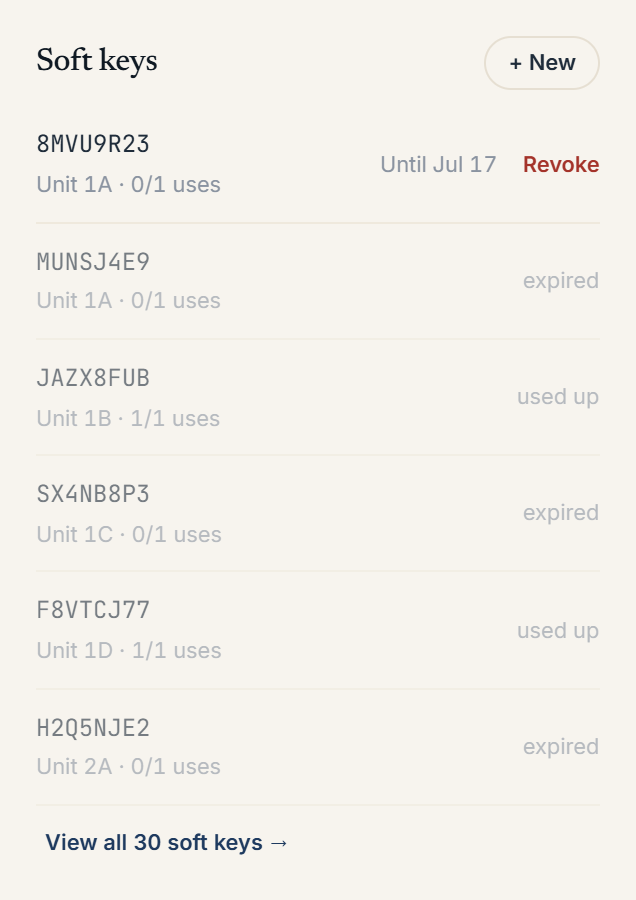 Soft keys card listing active codes with the New soft key modal open
Statuses
Every soft key on the card shows one status, computed from its state:
- active: currently redeemable, shown with its expiry as "Until [date]"
- scheduled: valid window hasn't started yet
- used up: hit its max-uses limit
- expired: past its valid-until time
- revoked: manually revoked before it expired
Revoking and browsing
Click Revoke next to any active key to disable it immediately. The card shows the six most recent soft keys by default; if a building has more, click View all N soft keys to expand the full list, or Show fewer to collapse it again.
More in Buildings
- Setting up a door and pairing an intercom panel2 min read
- Intercom mode vs front desk mode1 min read
- Adding and managing secondary doors1 min read
- Posting building announcements to residents1 min read
- Printing QR decals for the lobby and doors1 min read