Every building in Veni runs in one of two modes. The mode decides how visitors get in and which tools appear for that building. You can see each building's mode in the Mode column of the Buildings list.
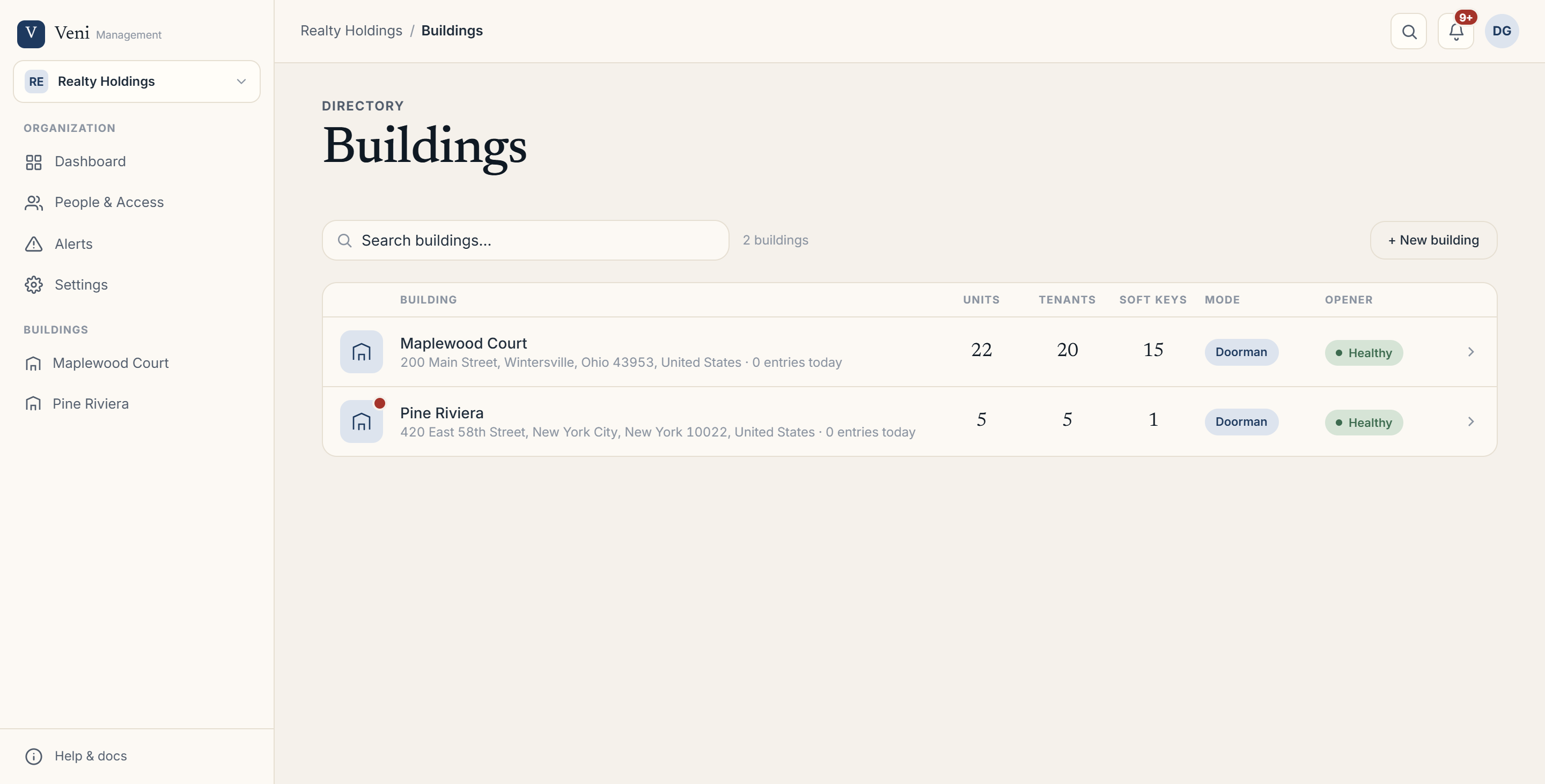 The Buildings list showing the Mode column
Intercom mode
In intercom mode there is no staffed desk. A visitor calls a resident from the door panel, the resident answers on their phone, and the resident opens the door remotely. Managers can also open a door from the portal with the Open door button on the building's Overview.
Intercom mode is the right fit for walk-up buildings, garden apartments, and smaller properties where residents let their own guests in.
Front desk mode
In front desk mode a staffed front desk handles arrivals. Choosing this mode unlocks a set of tools that intercom buildings don't have:
- Front Desk: live shift tracking, front desk scorecards, and coverage history.
- Package Room: a building-wide aging board for deliveries held at the desk.
- Key exchange and vendor compliance: release keys and capture signed vendor forms.
- Visitor ID checks: optionally scan and match a photo ID at the desk.
- Walk-in records: log a visitor who arrives without a pass.
Guest passes still work in front desk buildings, but they are scanned at the desk instead of at the panel.
Setting the mode
You can set the default for new buildings once, org-wide, under Settings → General → Default building mode. To change an individual building, open Building Settings → Entry mode and choose Intercom or Front desk.
More in Buildings
- Setting up a door and pairing an intercom panel2 min read
- Adding and managing secondary doors1 min read
- Posting building announcements to residents1 min read
- Printing QR decals for the lobby and doors1 min read
- Configuring a building's settings2 min read