Announcements let you post a message to everyone in a building at once: a water shutoff, a package-room closure, a holiday reminder. Residents see it as a banner on the Home screen of their Veni app.
Open a building and go to Announcements (under the building's pages). Announcements post to the building's community channel.
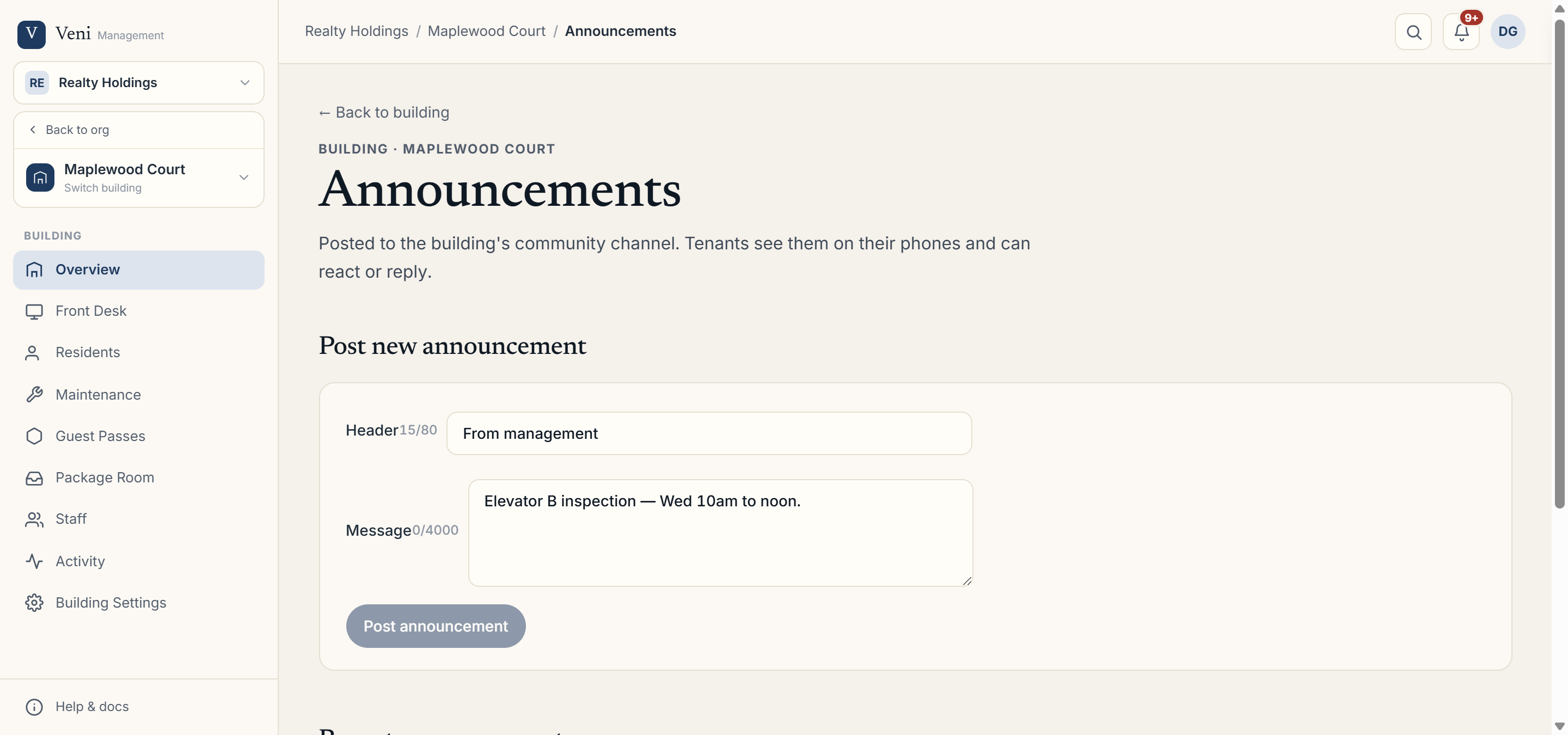 The Announcements page with the composer and recent history
Posting an announcement
The Post new announcement panel has two fields:
- Header: a short label, up to 80 characters. It defaults to From management.
- Message: the body of the announcement, up to 4,000 characters.
Click Post announcement to publish. Residents receive it on their next app open, and it stays as a dismissible banner on their Home screen until they clear it.
Recent announcements
Everything you've posted appears in the Recent announcements history below the composer, so you can see what residents have already been told and when.
More in Buildings
- Setting up a door and pairing an intercom panel2 min read
- Intercom mode vs front desk mode1 min read
- Adding and managing secondary doors1 min read
- Printing QR decals for the lobby and doors1 min read
- Configuring a building's settings2 min read