Opening a resident's profile
From a building's Residents tab, click any occupied unit row to open that resident's profile in a modal. Vacant units and pending invitations are not clickable in the same way; only rows with an active tenant open the full profile.
What the profile shows
The header shows the resident's name (or email, if no name is set), an Active tenant or Tenancy ended badge, and the building name, unit, and tenant-since date.
Below that, a Profile & configuration card lists read-only, tenant-controlled settings grouped as:
- Contact: Email, Phone
- Notifications: Do Not Disturb, Lock-screen ring, Community notifications
- Tenancy: Building, Unit, Role, Tenant since (and Tenancy ended, if applicable)
An Activity history card next to it lists entry events involving that resident, day-grouped the same way as the building Activity feed. It shows the five most recent by default; click Show all N to expand the full list (up to the last 50 events), or Show less to collapse it again.
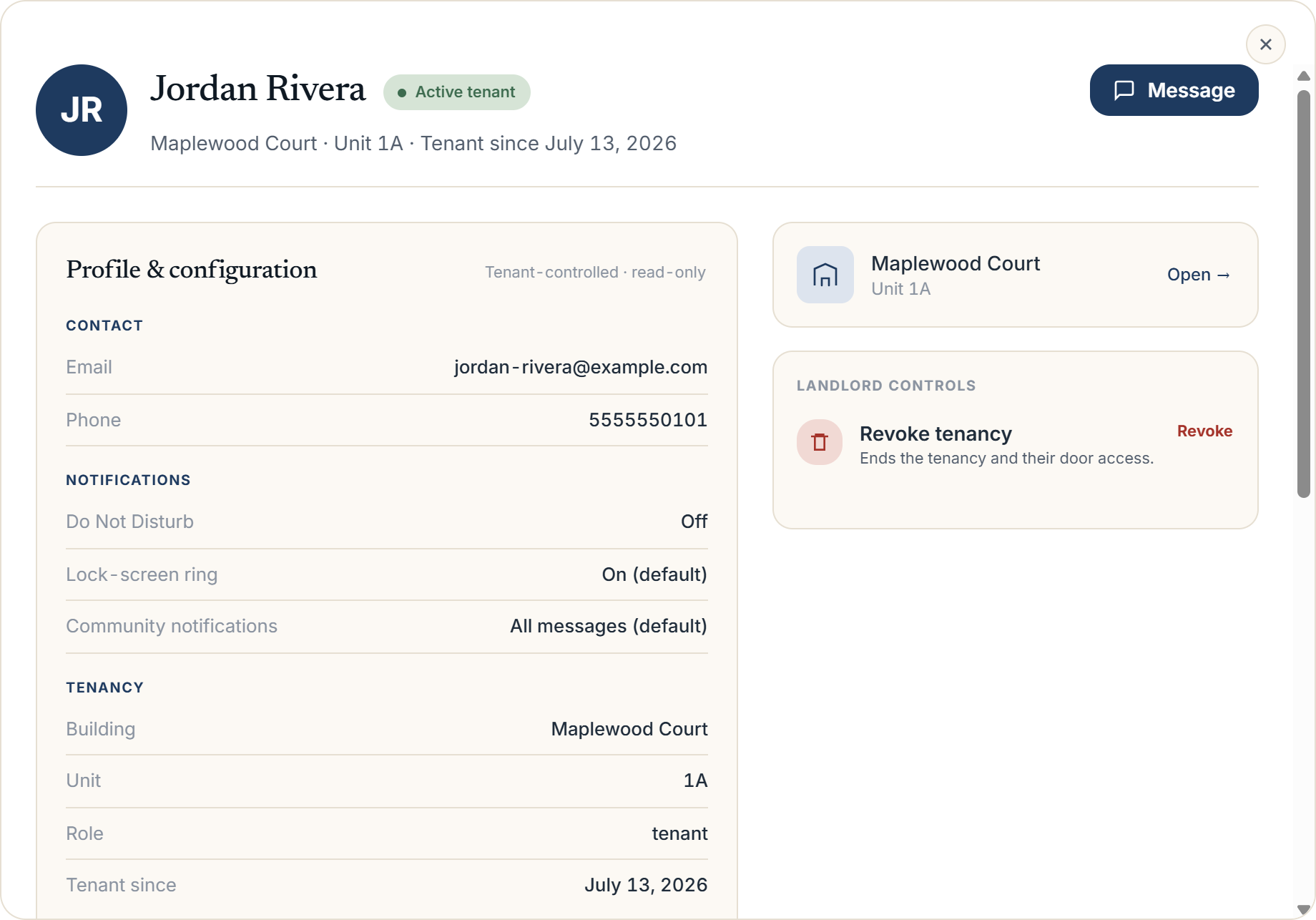 Resident profile modal showing the header, Profile & configuration card, and Activity history card
Available actions
If the tenancy is active, a Message button in the header opens a direct-message thread with the resident, with an unread badge if there are unseen messages.
A Management controls card in the sidebar offers Revoke on an active tenancy. Revoking asks you to confirm, then ends the tenancy and removes the resident's door access immediately; this cannot be undone; you would need to re-invite them to restore access. If the tenancy has already ended, this card shows no active controls.
More in Residents
- Inviting residents: one at a time or in bulk2 min read
- Tracking resident app adoption1 min read
- Bulk-adding residents from a spreadsheet, CSV, or photo1 min read
- Ending, moving, and reviewing a tenancy1 min read
- Managing units and vacancies1 min read