← All guides
Getting residents onto the Veni app is what makes doors, guest passes, and package notifications work. The building Overview shows exactly how adoption is going and gives you a one-click way to chase the stragglers.
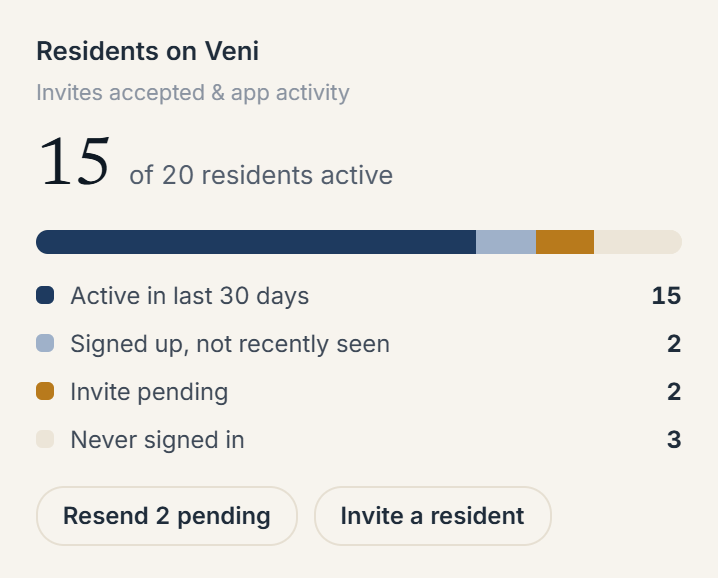 The "Residents on Veni" adoption card on a building's Overview
The "Residents on Veni" card
This card breaks your residents into four groups:
- Active in last 30 days: using the app.
- Signed up, not recently seen: accepted but quiet.
- Invite pending: invited, hasn't accepted.
- Never signed in: no account yet.
Two actions sit right on the card: Resend {N} pending re-sends every outstanding invite for the building, and Invite a resident opens the invite form.
Adoption elsewhere in the portal
- The Dashboard's Occupancy lane surfaces pending invites and possibly-vacant units across the whole portfolio.
- In People & Access, each resident carries a quick status: Active (seen within 14 days), Quiet (no activity for longer), or No phone (no mobile number on file, which limits SMS reminders).
Resending invites is throttled; Veni skips anyone re-invited within the last 24 hours so residents don't get spammed. Invites also expire after 30 days, so a very old pending invite may need to be sent fresh.
More in Residents