The People & Access page is where you invite, manage, and remove everyone connected to your organization: residents, building supers, front desk, and org staff. Open it from the main navigation; it lists everyone across all your buildings in one roster.
Filtering the roster
At the top of the page you can filter by Building (a dropdown showing "All buildings" plus a count) and search by name, email, phone, or unit using the Search field.
Below the filter row sit five segment tabs, each with a live count badge:
- All people
- Residents
- Building supers
- Front desk
- Org staff
Switching tabs narrows both the roster and any pending invites shown above it. A Pending invites section appears whenever someone has been invited but hasn't accepted yet, showing their scope, when they were invited, and which channels (Email, SMS) the invite went out on. From there you can Resend or Revoke an invite.
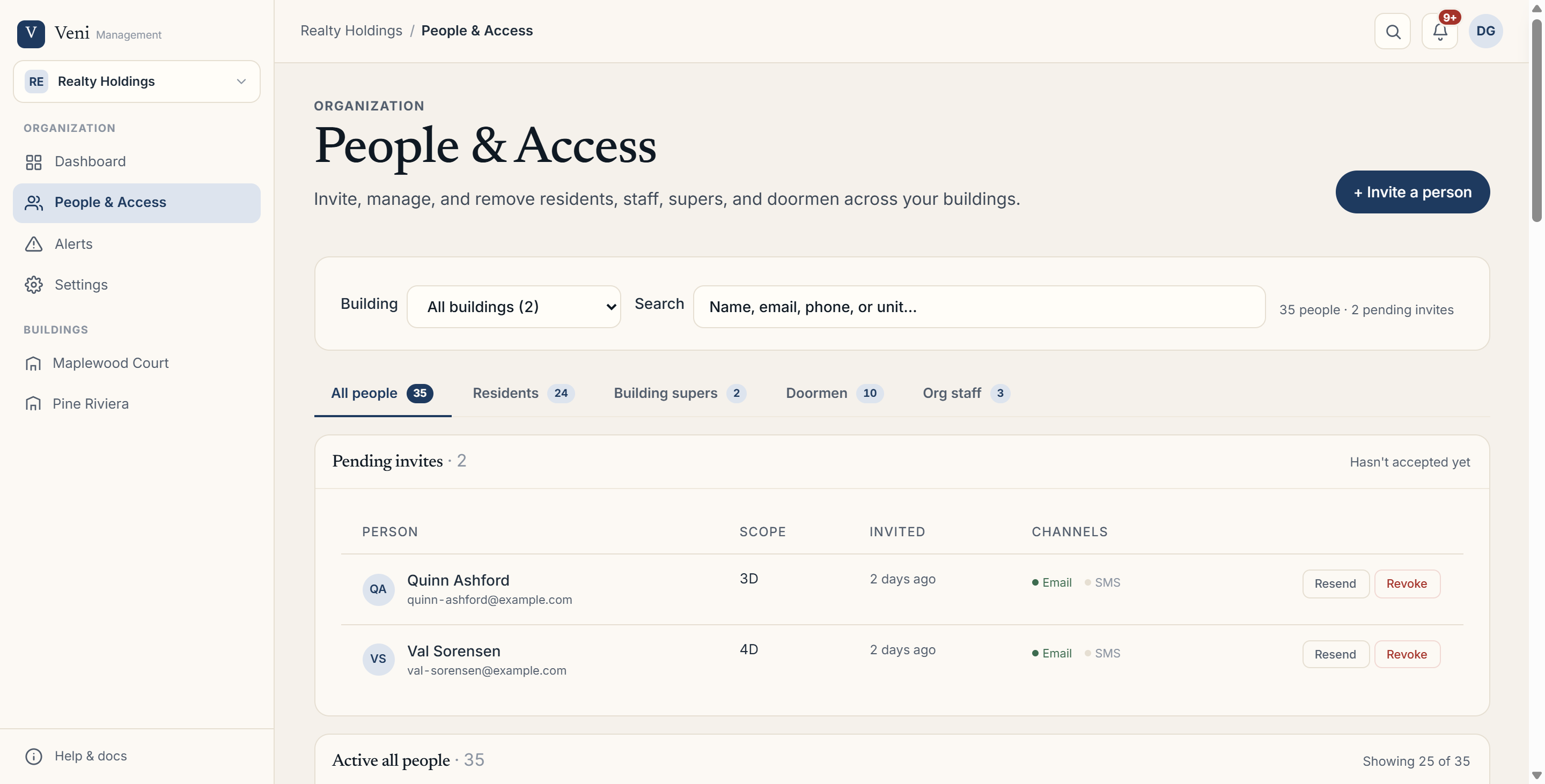 The People & Access page showing the segment tabs, filter row, and active roster table
Inviting a person
If you have manage access, a + Invite a person button appears in the page header. It opens a drawer with tabs for Invite a resident, Invite a building super, Add to front desk roster, and Invite org staff. Each tab has its own short form; submitting sends the invite over email and/or SMS depending on the contact info you enter.
The Manage access modal
Click Manage access on any person's row (org admins only) to open a modal scoped to that individual. It's organized into sections:
- Organization role: choose None, Staff, Admin, or (in HOA-mode organizations) Board. Staff and Admin roles then expose buildings this person can manage, toggled between All buildings and Specific (checking individual buildings).
- Building super: for anyone with an org role, check which buildings they act as super for. This requires the Maintenance add-on and a valid email or phone on file.
- Residency: for residents, each tenancy row lets you View, Move unit, or End tenancy. You can also add another unit for the same person.
If your organization administers more than one org, an Access in organization bar near the top of the modal lets you switch between orgs (or + Add to organization) and edit that person's role in each one without closing the modal.
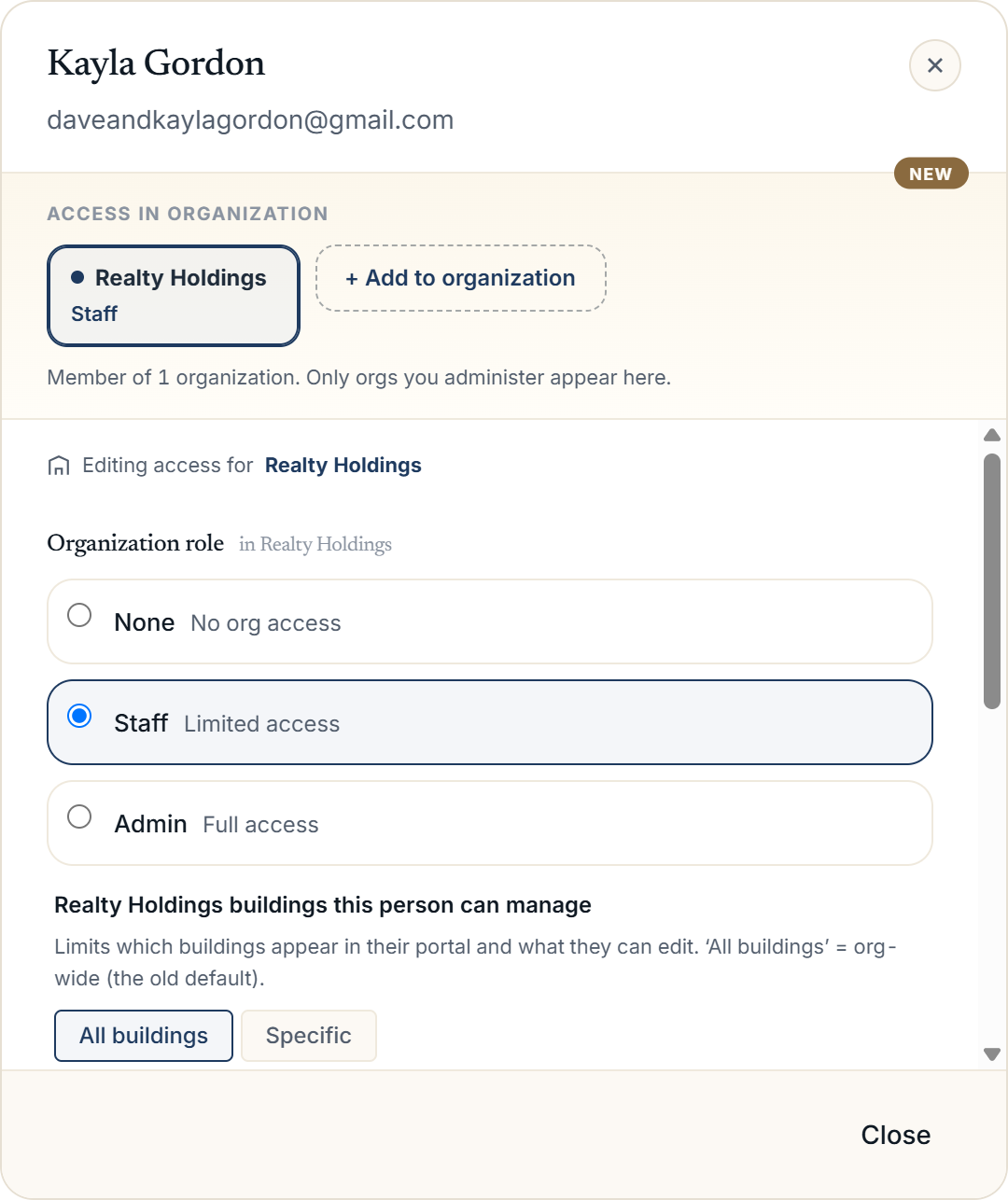 The Manage access modal open on a person, showing the Organization role radio options and the buildings-they-can-manage checklist
Removing people
- Ending a resident's stay: use End tenancy on their row inside the Manage access modal.
- Removing someone from the roster: use the Remove action on their roster row (requires manage access).
- Removing an org role: in the Manage access modal, set Organization role back to None.
More in Getting started
- Adding your first building2 min read
- Getting started with Veni2 min read
- Inviting your team: staff, supers, and front desk3 min read
- Reading your dashboard and Daily Briefing2 min read
- Organizations, portfolios, and switching buildings1 min read