Turning on key exchange
In the building's Settings tab, under Key exchange & vendor compliance, the Key exchange row has a toggle labeled "Residents authorize key hand-off." Turning it on lets residents consent to a physical key being handed to their guest, and it unlocks a View / edit form button where you write and version the agreement text residents see before authorizing a handoff. Like the vendor form, saving bumps the version number, and agreements already signed keep the version they were signed against.
Releasing and returning a key at the desk
Once key exchange is on and a resident has authorized it for a pass, the front desk can release the key against that pass at the desk, recording who released it and when. When the key comes back, the front desk marks it returned from the same pass. Both actions require an open shift; the desk can't release or return a key without someone clocked in. If the visitor's ID doesn't match the pass, the front desk can decline the release instead of handing over the key.
The resident who issued the pass gets a push notification both when the key goes out and when it comes back.
The "key out N days" nudge
If a key stays out too long, it surfaces as an attention card on the Front Desk tab: "Key out N days," naming the unit, the borrower, who released it, and when. From there you can send a nudge, a prefilled message to the resident asking them to arrange the key's return, which you can edit before sending.
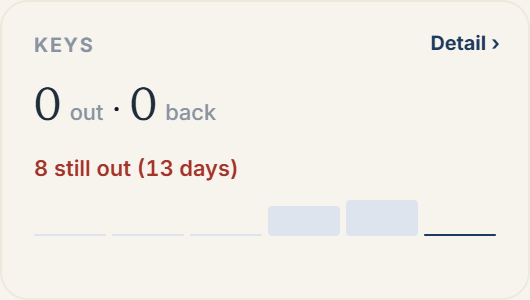 The Keys card on the Front Desk tab, summarizing keys released and returned
Where key activity shows up
The Front Desk tab's "This week, by outcome" section includes a Keys card showing how many keys went out and how many came back in the last seven days, plus a warning if any are still out and for how many days. Each key-carrying pass also tracks its own history: opening a pass in Guest Passes shows a Key-exchange terms document (if the resident signed one) noting whether the key is currently out or has been returned, and the pass timeline records both the release and the return as separate events.
More in Front desk