The four outcome cards
On the Front Desk tab, below the coverage strip, the "This week, by outcome" section shows four cards summarizing the last seven days: Calls, Visitors at the desk, Keys, and Packages. Each card has a big number, a supporting stat line, a small six-bar sparkline showing the daily trend, and a Detail link in the top corner that opens a drilldown modal with more depth.
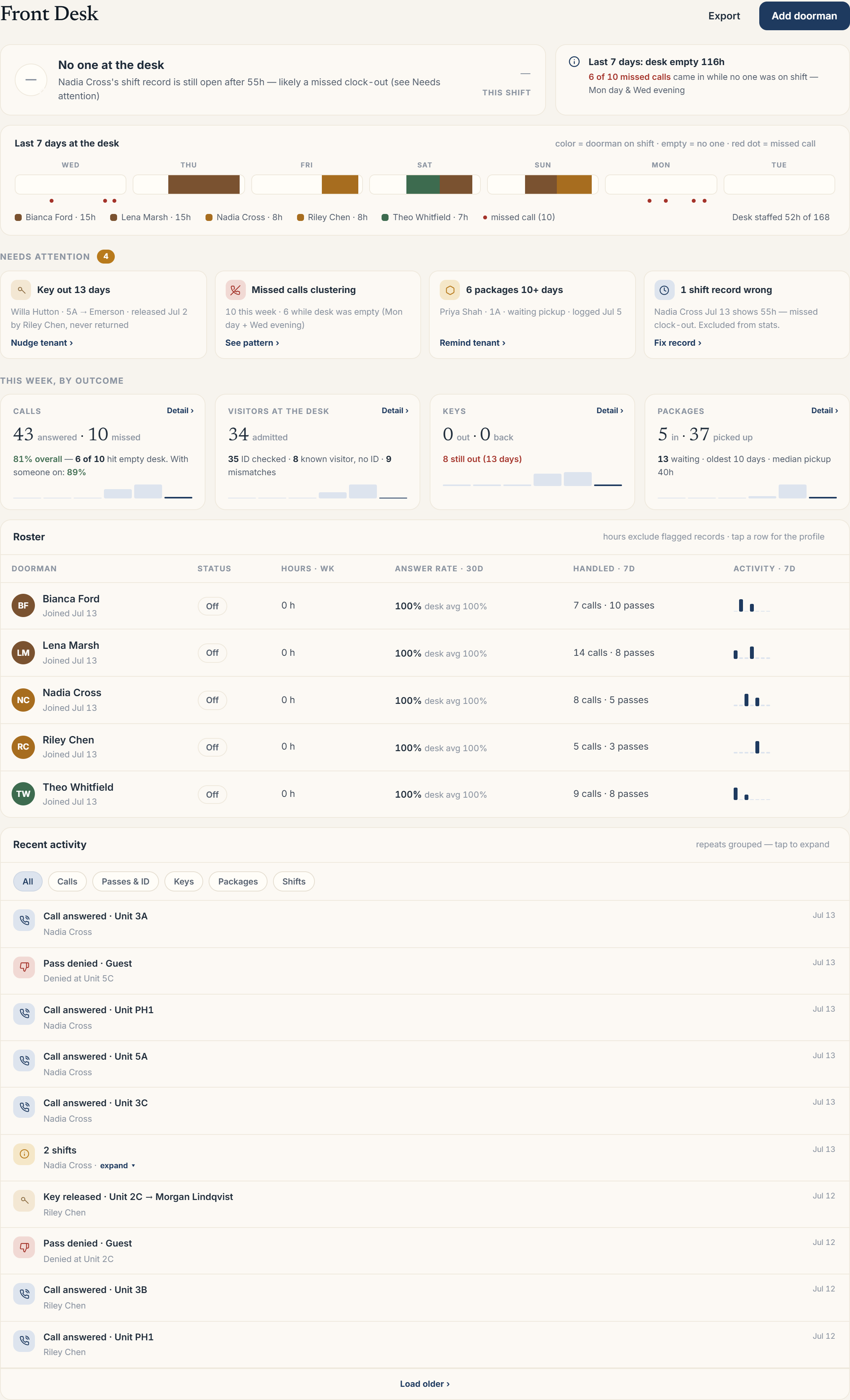 The "This week, by outcome" row of four cards on the Front Desk tab
What each card tells you
- Calls: how many were answered versus missed, the overall answer rate, and how many of the misses hit an empty desk (with the answer rate for when someone was actually on shift).
- Visitors at the desk: how many were admitted, plus how many had an ID checked, how many were known visitors let in without one, and how many ID mismatches came up.
- Keys: how many keys went out this week and how many came back, plus a warning if any are still out and for how many days.
- Packages: how many were logged in and how many were picked up, plus how many are still waiting, the oldest wait time, and the median time to pickup.
Opening a detail drilldown
Clicking Detail on any card opens a modal scoped to that outcome. The Calls drilldown, for example, shows an hour-by-hour heatmap of missed calls over the week and a row-by-row list of each missed call with the unit, ring duration, and whether the desk was staffed at the time. The Keys and Packages drilldowns let you jump straight into nudging a tenant about an overdue key or a waiting package from the same modal.
Outcomes versus coverage
Don't confuse the outcome cards with the coverage strip above them. The coverage strip ("Last 7 days at the desk") shows *staffing*, who was on shift and when the desk sat empty, with red dots marking missed calls against that timeline. The outcome cards show *results*, what actually happened across calls, visitors, keys, and packages that week, independent of who was on shift when. Reading them together tells you not just what happened, but whether staffing gaps are driving it.
More in Front desk