The Front Desk tab turns everything your front desk does into a picture of how the desk is running; who's on now, where coverage gaps were, and how the desk is performing. It's available in front-desk buildings.
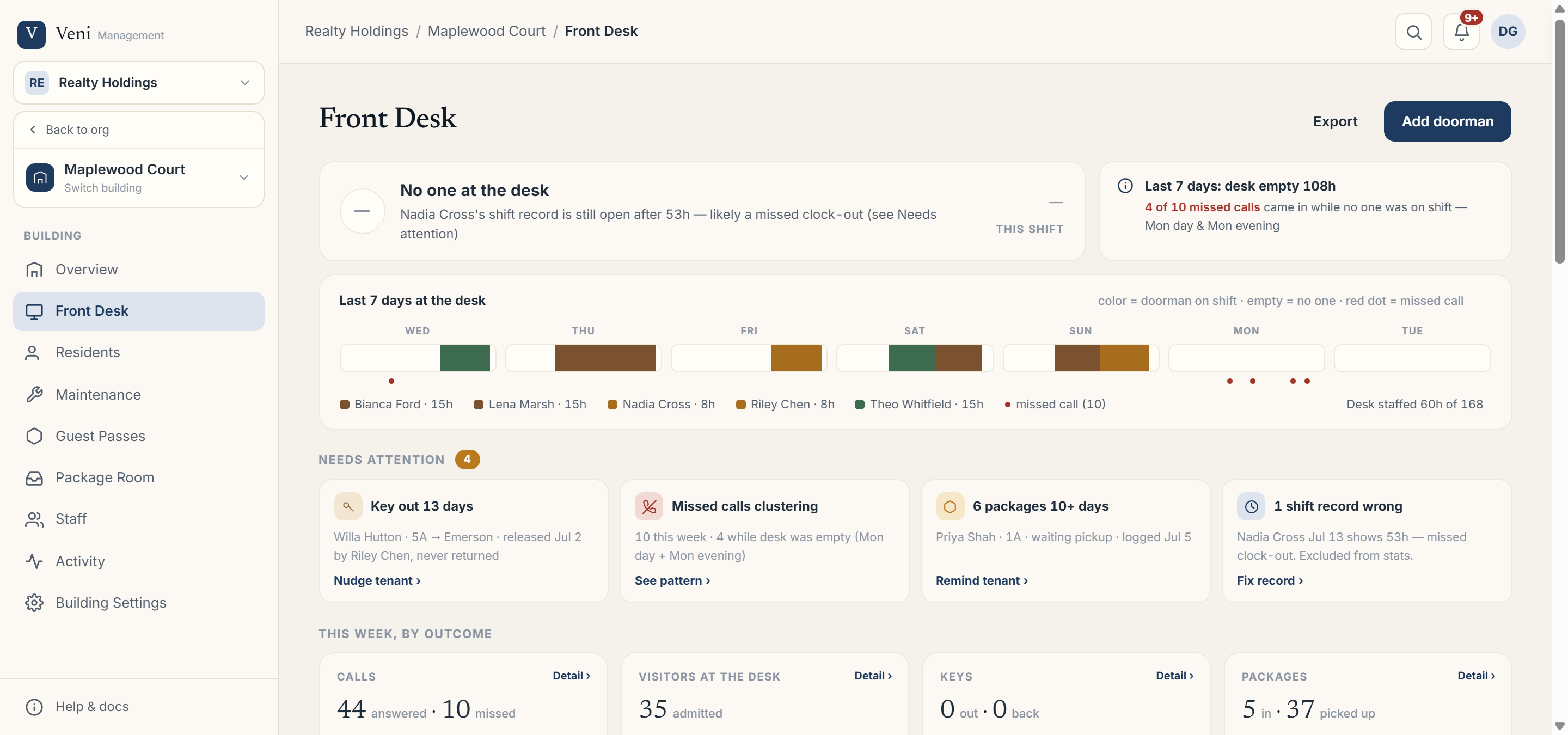 The Front Desk tab with the coverage strip and roster
Who's on now
At the top, a live card shows who is currently at the desk and how long they've been on shift; or No one at the desk when it's unstaffed. A headline fact sits beside it, such as how many hours the desk sat empty over the last 7 days.
Coverage and gaps
The Last 7 days at the desk strip colors each block by who was on shift, with a red dot marking a missed call. Needs attention cards flag things worth acting on: a key that's been out for days, unsigned vendor forms, missed calls clustering at a certain hour, packages waiting, or a flagged shift.
Outcomes and the roster
This week, by outcome groups the desk's work into Calls, Visitors, Keys, and Packages, each with a Detail drilldown. The Roster scorecard lists every person with their hours per week, 30-day answer rate, and handled counts; click a row to open that person's full profile and activity.
Use Export to download the desk's activity as a CSV.
More in Front desk