Two of the most useful desk settings live under Building Settings → Front desk & VeniAI: whether the front desk checks a visitor's ID, and whether Veni summarizes intercom calls for you.
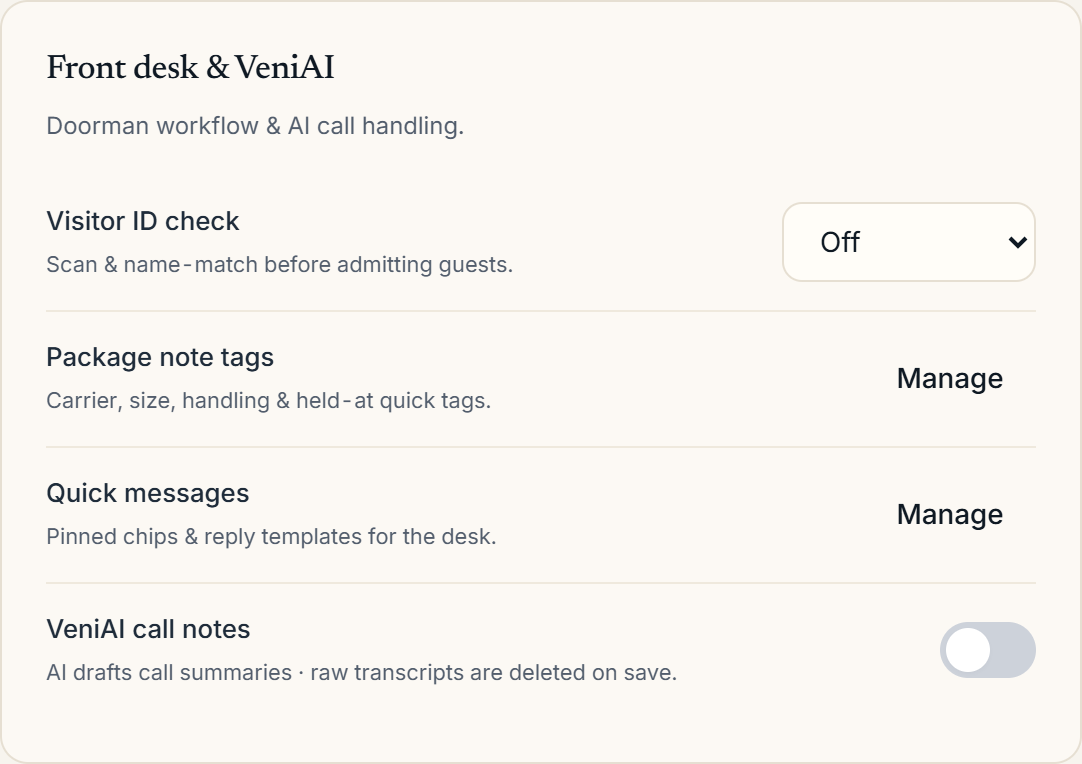 Building Settings with the Front desk & VeniAI section
Visitor ID check
The Visitor ID check setting has three levels:
- Off: no ID is requested.
- Optional: the front desk can scan an ID when it makes sense.
- Required: an ID check is enforced before a visitor is admitted or a key is released. This is checked on the server as well as on the tablet, so approval or key release is blocked without a resolved check.
When on, the front desk scans the barcode on the back of the visitor's driver's licence or state ID using the desk's paired Bluetooth scanner (the tablet's camera is used only for pass QR codes, never for the ID itself). Veni matches the name on the barcode to the expected guest, or simply records it on file for a crew. It never runs facial recognition and never captures a photograph of the ID: Veni keeps the visitor's name (encrypted), the result (matched, recorded, mismatch, or skipped, with a reason if skipped), and a few coarse document facts, the issuing state, whether it's REAL ID compliant, licence vs. non-driver card, and the expiry month. Date of birth, licence number, and address are read on the device to run the check and then discarded there; they never leave the tablet. Records are deleted automatically after your retention window; since there's no image on file, that purge is a straight record delete.
If the scanned name doesn't match the pass, the front desk can deny entry or override with a short written reason, which is logged against their name. If the visitor has no scannable ID (passports and most non-US IDs have no barcode Veni can read), the scanner isn't working, the front desk already knows the visitor, or a resident vouches for them by phone, the front desk logs one of those reasons instead of a scan.
VeniAI call notes
Turn on VeniAI call notes and Veni listens to the desk's intercom calls and drafts a short summary the front desk can review after hanging up; who called, what they wanted, and what was decided, so nothing depends on memory. VeniAI budget & usage lets you cap monthly AI spend and review usage, with a redaction path and an audit log.
Package tags and quick messages
The same section holds Package note tags (the carrier/size/handling chips the desk uses when logging a delivery) and Quick messages (canned replies for resident DMs). Both are covered in their own articles.
More in Front desk
- Running the front desk: shifts, visitors, and key handoffs7 min read
- Reviewing front-desk coverage and scorecards1 min read
- Setting up desk sign-in and the on-duty roster1 min read
- Key exchange: releasing and returning keys2 min read
- Reading front-desk outcomes: calls, visitors, keys, packages2 min read