When a resident stops at the desk or calls about something broken in their home, the desk can file the maintenance request for them. It goes to the building's super like a request the resident filed in the Veni app, and it works for residents who are not on Veni too.
Management turns this on per building with Front desk can file maintenance requests, in Building Settings under Front desk & VeniAI. It needs front desk mode, a plan that includes maintenance, and at least one super assigned to the building. Where it is off, the desk has no Report issue button.
Filing a request
- Open the resident from Residents and tap Report issue.
- The first time on a tablet, it asks Use Veni's assistant? Tap Use the assistant, or Fill in the form myself to skip it. The assistant uses Anthropic, a third-party AI service: what you type is sent to it to help write the request, so type only what the resident tells you about the issue.
- Type what the resident tells you. The assistant may ask one or two questions: ask the resident and type their answers. Prefer a plain form? Tap Fill it in yourself, under the chat.
- Tap Create the request. Check the category, title, description and urgency (Low, Normal or Urgent), and fix anything that is wrong.
- Leave the switch that asks the resident for photos or a video turned on. The tablet never takes photos: the resident gets a notification to add them from their phone.
- Tap Submit to super. The request goes to the super with your name on it, and the resident's profile keeps a record that you filed it.
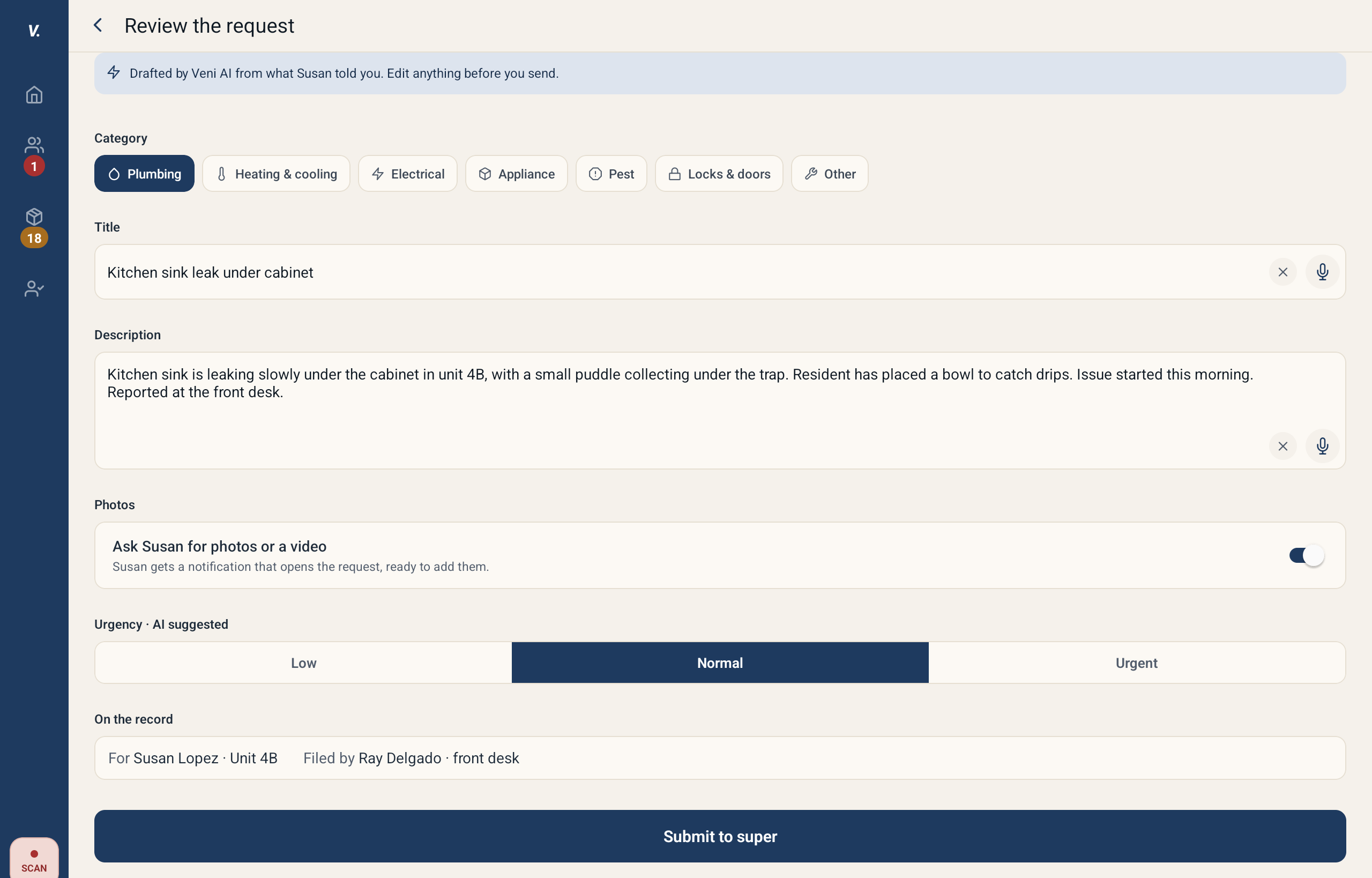 Reviewing a request the assistant drafted, before Submit to super
After it is filed
The desk gets no updates after that, and never sees the request's status, its thread or its photos. The resident follows it in the Veni app. A resident who is not on Veni gets no message and cannot be asked for photos, so let them know in person; the request shows in their app if they join later.
Management sees requests filed at the desk in the Maintenance tab like any other. The request says "Filed at the front desk by" the person on shift, and the tab counts how many the desk filed in the last 30 days.
Urgent problems
For water, gas, no heat or a lockout, mark the request Urgent, then phone the super or management the way your building tells you to. A request is a record, not an alarm.
More in Front desk