Check the door opener first
Before anything else, confirm the door itself is working. On the building's Overview tab, the Doors healthy stat tile counts how many enabled openers responded successfully on their last attempt; if one didn't, it's flagged as needing attention. From the Access tab, you can select the door and use Open now (test) to trigger it directly and confirm the relay responds.
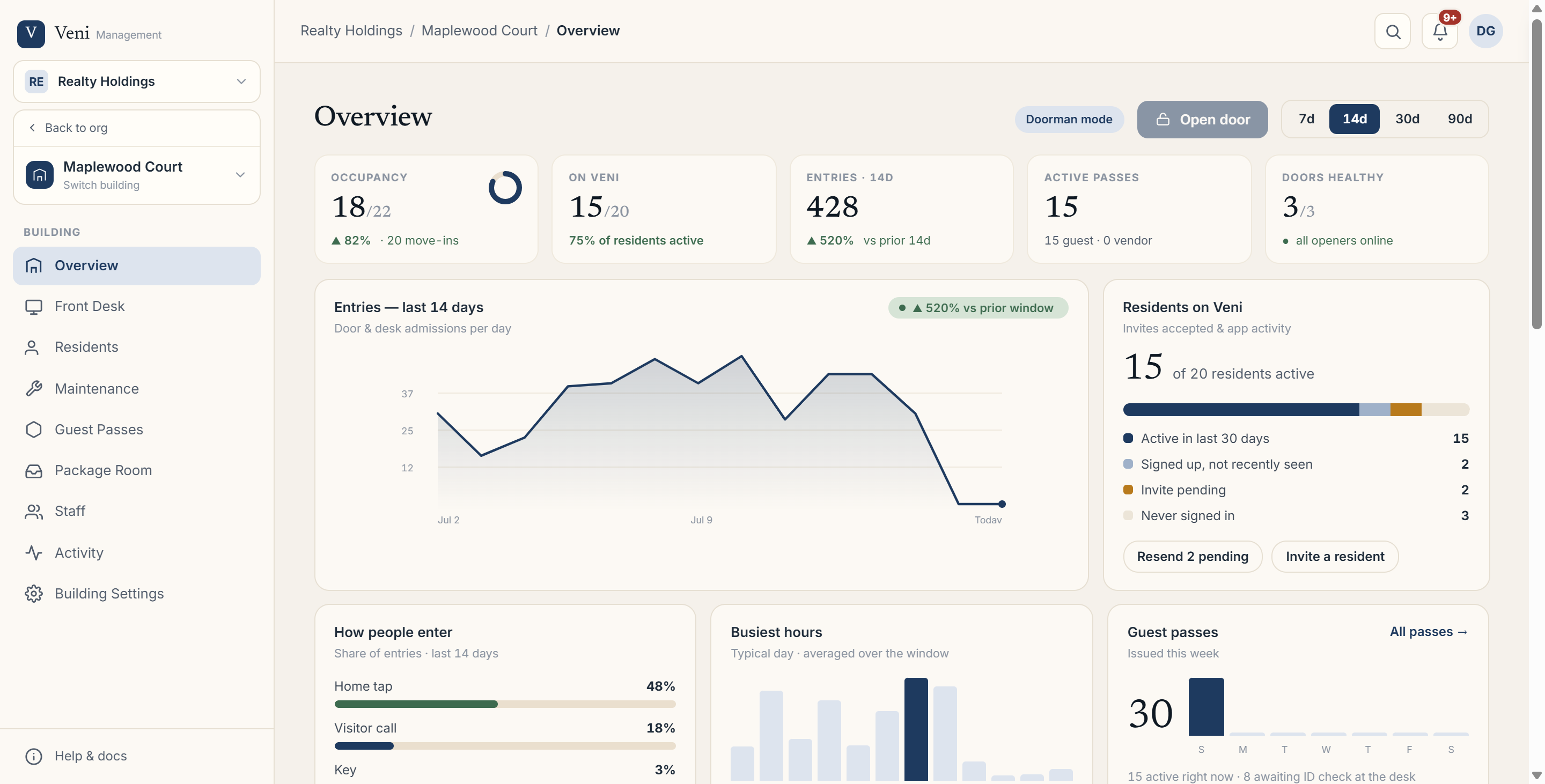 The building Overview with door and opener health
Confirm the resident's tenancy is active
A resident can only open the door if they have an active tenancy in that building, one with no move-out date recorded. In the Residents tab, each resident shows a status pill: Active (green) or Invite pending (amber). If a resident hasn't accepted their invite yet, they don't have an active tenancy and can't open the door until they do.
Rule out common red herrings
A few things people assume are the problem, but aren't:
- Do Not Disturb: the resident's DND toggle only silences incoming visitor call notifications. It has no effect on the resident's own door-open button.
- Location: unlike a visitor's call or guest-pass redemption, which the building's geofence radius does gate, a resident opening their own building's door is not location-checked. If a resident's own door button fails, geofencing is not the cause.
If everything checks out
If the opener is healthy and the tenancy is active, ask the resident which button they're using and whether they're getting a specific error message rather than nothing happening. That detail narrows down whether it's a connectivity issue on their end or something worth escalating.
More in Troubleshooting