If a tab is missing, a button is disabled, or a page says a feature "isn't in your plan," it's almost always one of two things: your plan doesn't include it, or your role doesn't have reach to it. Here's how to tell which.
It's a plan limit
Some features are gated by your subscription. When one isn't included, Veni shows an upgrade card instead of the feature, for example "Alerts aren't in your plan", "Maintenance isn't in your plan", or "Community isn't in your plan", usually with a link to view plans. A nav item marked with a Soon pill is coming but not yet available.
To change your plan, contact your Veni account manager from the Billing page; plans aren't self-serve.
It's a permissions limit
If a teammate can't see a section you can, their role likely has less reach. Under Settings → Access control, the reach matrix sets each role's access per section to None (hidden), View (visible, no editing), or Manage (full use). A section set to None disappears from the sidebar entirely; View hides the edit and action buttons.
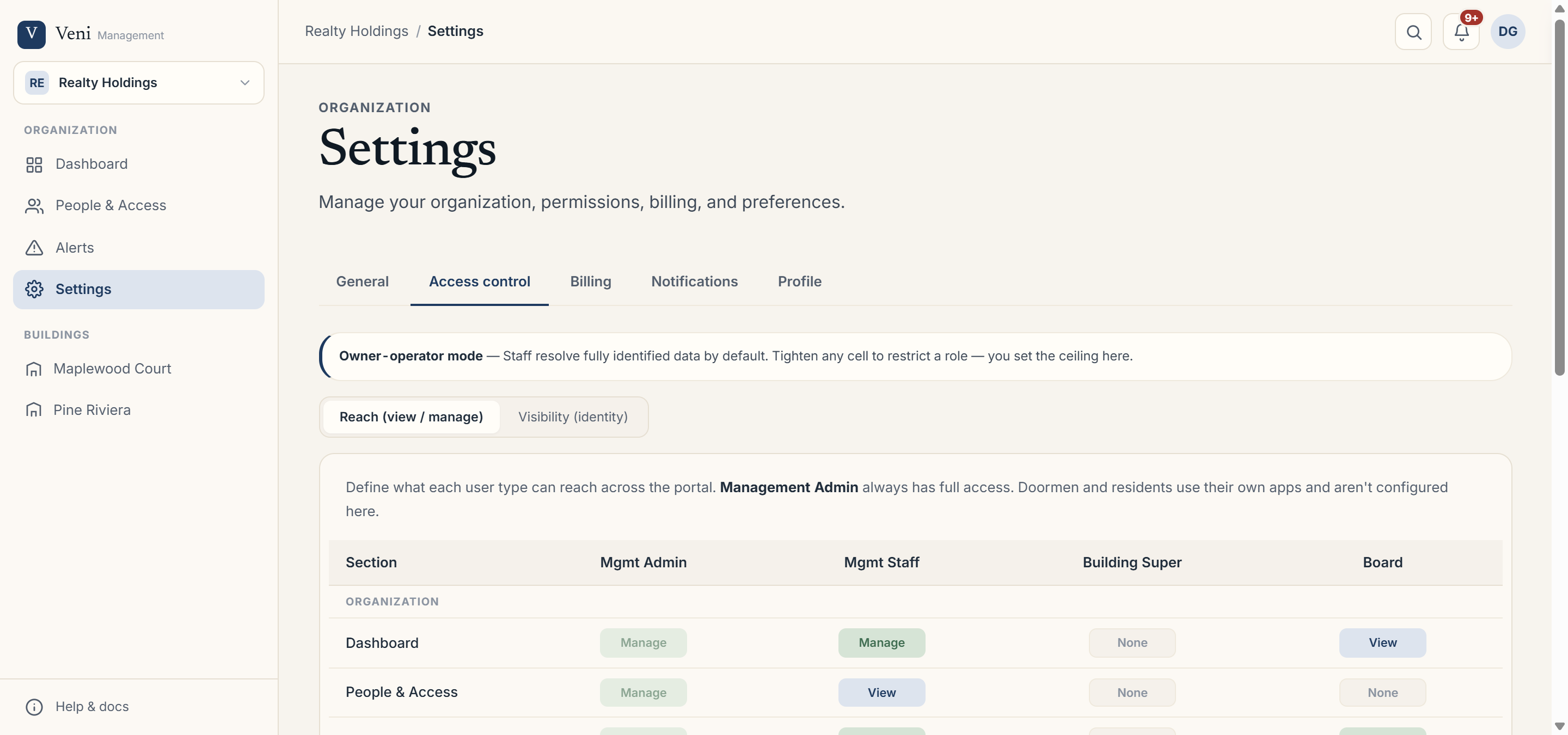 The Access control matrix governing what each role can reach
Quick checklist
- Missing an entire tab → check the plan card, then the role's reach for that section.
- See the tab but buttons are greyed → your reach is View, not Manage.
- Billing looks read-only → billing is admin-only; staff can view but not change it.
More in Troubleshooting
- A door won't open: checking opener health1 min read
- A resident didn't get their invite1 min read
- Missed intercom calls and no-answer at the desk1 min read
- A resident can't open the door1 min read
- A resident didn't get a package notification2 min read