Residents can report a message, block another resident, and delete their own messages, all from the Veni app. Reports and blocks go to Veni's team, which reviews them and can remove messages or stop someone posting for a while. This article explains each of those, who can read which conversations, and how long messages are kept.
Messages that can't be sent
Every message and reply is checked before it is sent. A message with slurs or sexual harassment is refused with "This message can't be sent. Veni has zero tolerance for objectionable content or abusive behaviour toward other residents." Ordinary swearing is not blocked.
Reporting a message or a conversation
To report one message, press and hold it and tap Report message, then pick a reason: Harassment or bullying, Hate speech, Sexual content, Violence or threats, Spam or Something else. Replies in a thread can be reported the same way.
To report a whole conversation, open it, tap the three-dot button at the top and choose Report conversation. This sends the last 10 messages of the conversation, including the reporter's own, so the context is clear.
Reports go to Veni's team, which reviews them within 24 hours. Management is not notified, and a report does not hide anything by itself. The confirmation reminds the resident that they can also block the person.
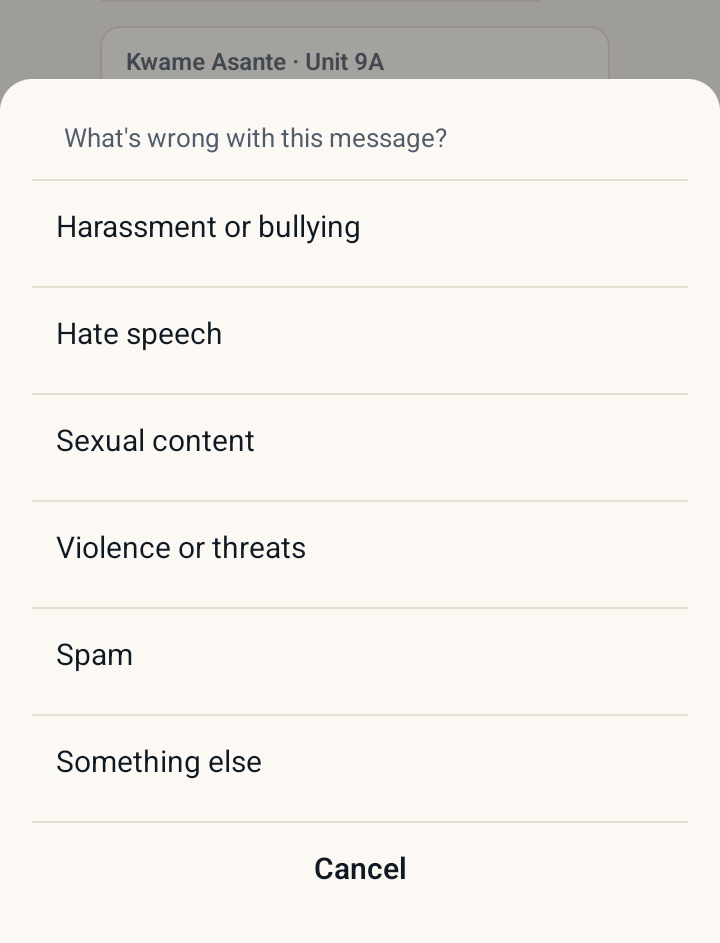 Choosing a reason after Report message
Blocking a resident
Residents block another resident in either of two ways:
- Press and hold one of their messages and tap Block this resident.
- In a direct message with them, tap the three-dot button at the top and choose Block followed by their name. This also sends the last messages of the conversation to Veni's team.
After a block:
- Neither of them can start a conversation with the other, and their existing direct message can no longer be written to.
- They drop out of each other's neighbor list, and no notifications pass between them.
- The person who blocked stops seeing the other person's messages and replies, on the board as well. The blocked person can still see the board as before.
Veni's team is told about every block, with the message or messages that led to it.
To undo a block, the resident opens Profile, where each blocked person is listed under Community with Unblock.
Building management cannot be blocked. If a resident has a problem with someone on the management team, they can contact support@helloveni.com.
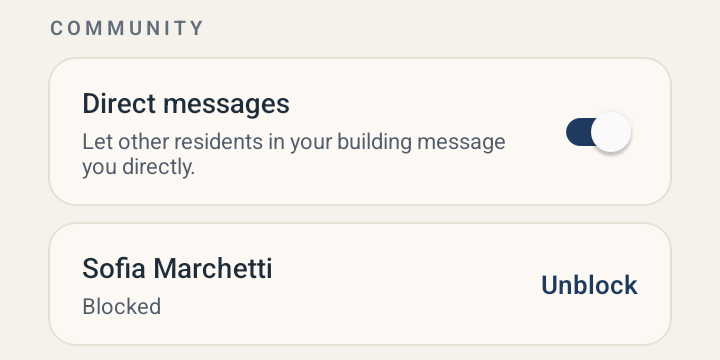 Profile with the Direct messages switch and a blocked neighbor
The front desk and announcements
The private conversation with the front desk has no Report or Block, because the desk is building staff rather than another resident. Announcements have none either: only management posts them.
Removing messages
- Anyone using the Veni app can delete their own messages: press and hold, Delete message, and confirm. It is removed for everyone, with its photos or video. Replies in a thread cannot be deleted.
- Veni's team removes reported messages and replies that break the rules.
- Management cannot remove other people's messages from the portal.
A removed message simply disappears from the conversation, along with its reactions and replies.
Stopping a resident from posting
Veni's team can stop a resident posting for a set time, up to 90 days, for example after repeated reports. While it lasts, they cannot post, reply or react on the building board or in direct messages. They can still read, receive announcements and message the front desk, and their door access, guest passes, calls and maintenance requests are not affected. It ends on its own when the time is up.
If you are worried about how a resident is using messages, contact Veni support.
Who can read each conversation
| Conversation | Who can read it |
|---|---|
| Building board | Current residents of the building |
| Direct message between neighbors | The two residents |
| Conversation with management | The resident and that one manager or staff member |
| Front desk conversation | The resident and the front desk |
| Announcements | Residents, supers, the front desk and management |
Management cannot read the building board or residents' messages to each other. For front desk conversations, the building's Front Desk tab shows only a short preview of each resident's latest message to the desk. Someone who moves out loses access to the building's conversations straight away.
Message text is encrypted in Veni's database. Photos and videos are kept in private storage and every time one is opened, it is logged. GIF searches go through Veni's servers, so KLIPY does not receive the resident's name or account.
How long messages are kept
- Building board, announcements and front desk conversations: one year by default. A building can instead keep them for 90 days, six months or two years. There is no setting for this in the portal; contact Veni support to change it.
- Direct messages, with neighbors or with management: one year.
When a message reaches the end of its period, its text is erased and its photos and videos are deleted, along with its reactions and replies.
If a resident deletes their Veni account, their direct messages, reactions and replies are removed. Their posts on the building board stay until the end of the period, shown as "Former resident".
More in Security & privacy