Being able to *use* a section isn't the same as being able to see *who* a resident is. Veni separates the two: reach controls what a role can do, and visibility controls how much resident identity it sees.
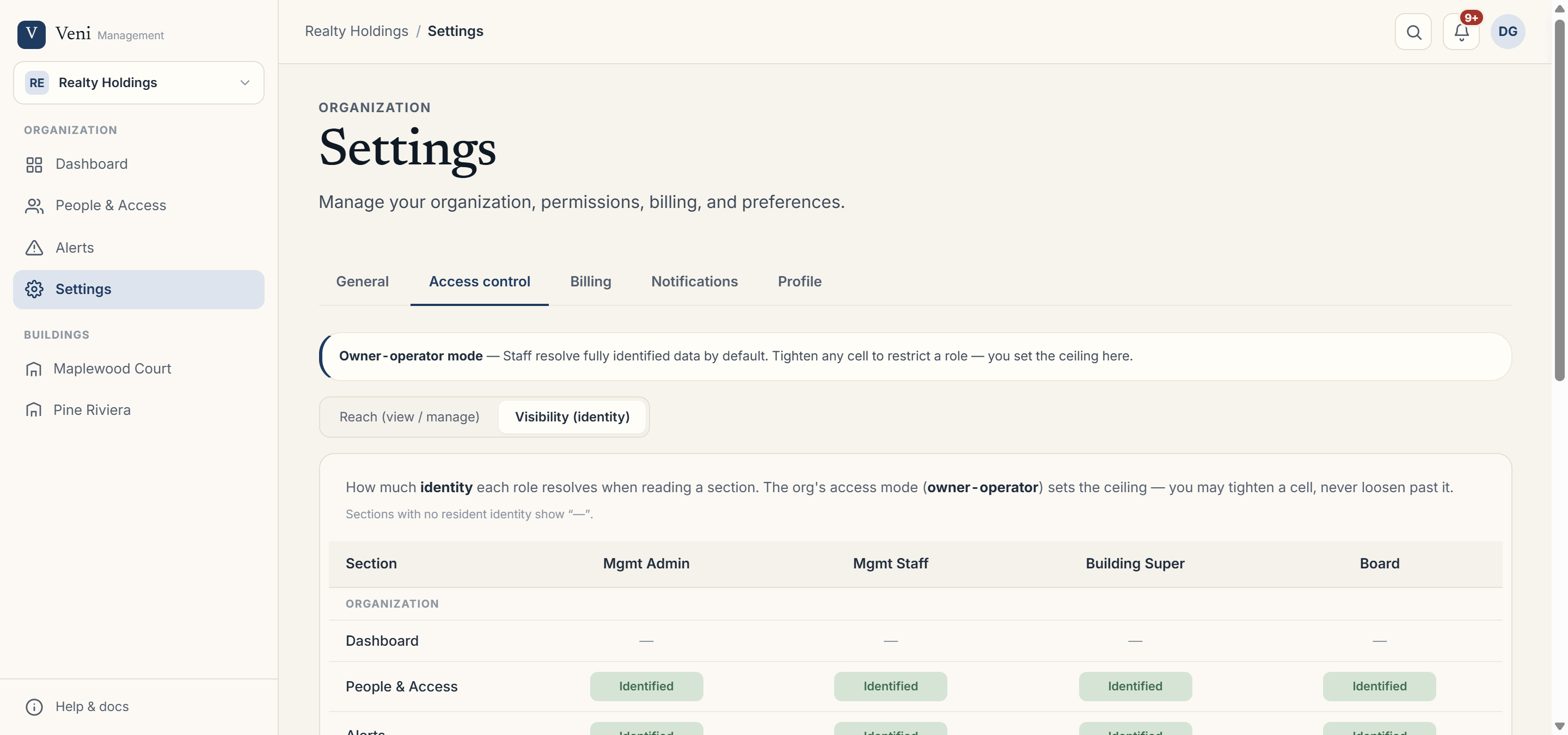 The Access control visibility matrix
The four visibility levels
Under Settings → Access control, switch to the Visibility (identity) matrix. For each section, a role's visibility can be:
- None: no access to that data.
- Aggregate: counts and trends only, no individuals.
- Pseudonymous: activity per unit, but not tied to a named person.
- Identified: full names and details.
Higher levels are capped by your organization's mode (owner-operator, property-managed, or HOA governance), so you can't grant more identity than the mode allows.
Front desk and contact info
The front desk never receives a resident's email or phone number, at any visibility level; they only see the operational name they need to do their job. The pseudonymous rule runs the other direction, too: when a manager or board member's own visibility on the staff roster is pseudonymous, the list still shows that a building has a front desk or super assigned, but that person's own name, email, and phone are withheld from the viewer.
Board members and investigations
The Board role works with de-identified resident data by design. In HOA organizations, the only path to per-unit identity is a logged Investigation; opened with a governance basis and a time-boxed identity window, with the resident notified per policy.
More in Security & privacy