← All guides
Veni gives each person exactly the access they need and nothing more. Two things decide what someone can do: their role, and the per-section reach their role grants.
The roles
- Management Admin: full access across the organization, including billing and settings.
- Management Staff: limited access; typically operational. Billing is admin-only; staff have no billing view at all.
- Building Super: maintenance for their assigned buildings. Supers don't get door access; opening or configuring doors is limited to Management Admin and Staff.
- Board: a governance role (in HOA organizations) that works with de-identified resident data.
- Front desk: tablet access, scoped to their building.
- Resident: the Veni app for their own unit.
Reach: None → View → Manage
For each section (Dashboard, People & Access, Residents, Maintenance, Guest Passes, Package Room, and so on) a role has one of three reach levels:
- None: the section is hidden entirely.
- View: can see it, but edit controls are hidden.
- Manage: full use of the section.
You set this grid under Settings → Access control, on the Reach (view / manage) matrix. Columns are the roles; each cell cycles None → View → Manage. The Admin column is locked to Manage.
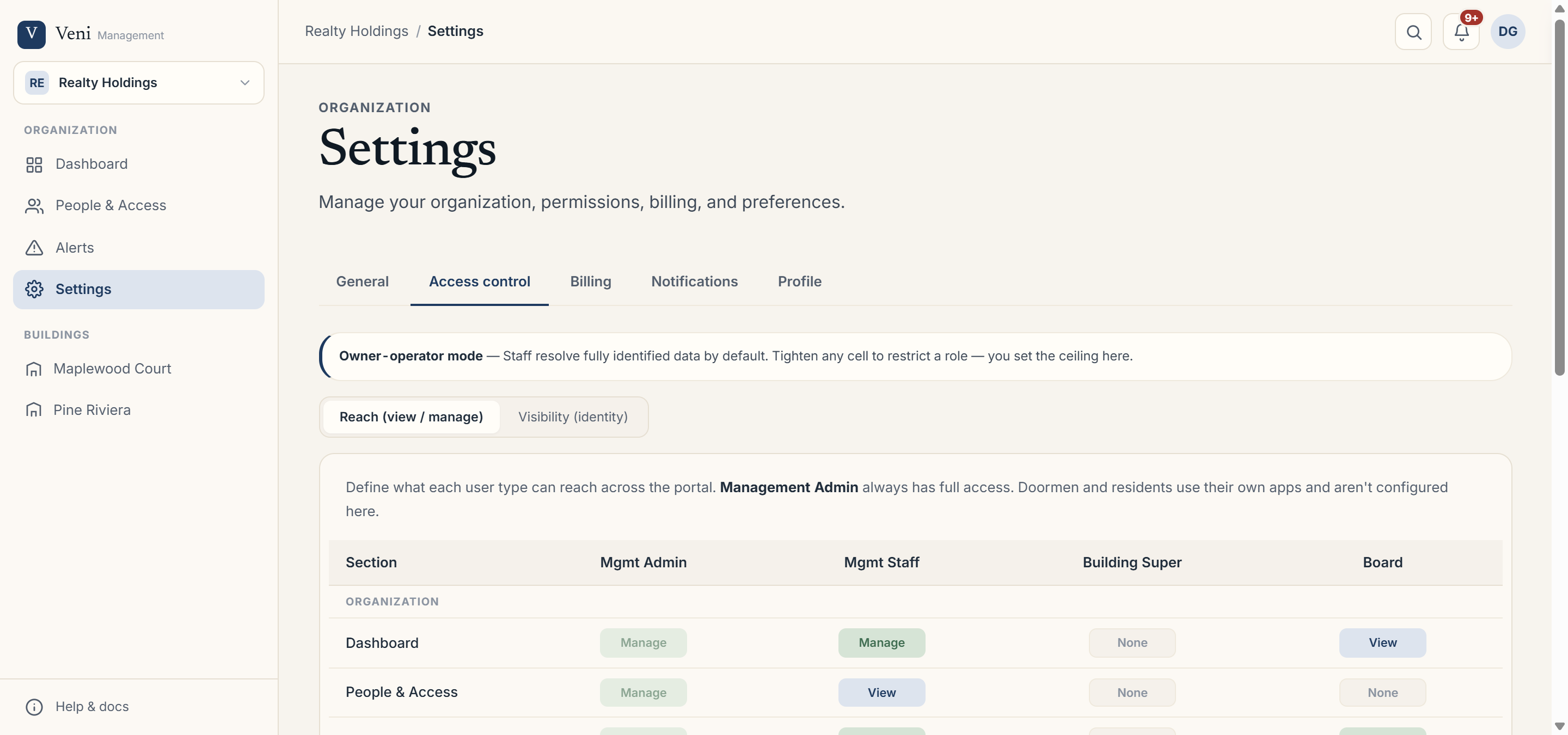 The Access control reach matrix
Per-person access
To adjust one person rather than a whole role, open People & Access, choose Manage access, and set their organization role, which buildings they can manage, and any building-super assignments.
Changing a role's reach applies to everyone with that role. To give a single person broader or narrower access than their peers, use Manage access on that person instead of editing the matrix.
More in Security & privacy