Access investigations is a governance surface that only appears for organizations running in HOA mode. It's described on the page itself as "the only path to per-unit identity in HOA mode": in HOA governance, activity is aggregate and the resident roster is pseudonymous by default, and this is the sole mechanism for a board to see a specific unit's identified activity.
Why investigations exist
HOA mode is built around privacy by default. A board member can't casually look up who lives in a unit or what they've done; that data stays de-identified. When there's a genuine governance reason, such as a suspected bylaw violation, the board opens an investigation, which temporarily unlocks that unit's activity, identified, for a fixed window. A banner on the page states the resident disclosure policy: while an investigation is open, only the requester and org admins see that unit's activity identified, and the affected resident is disclosed to per your organization's policy.
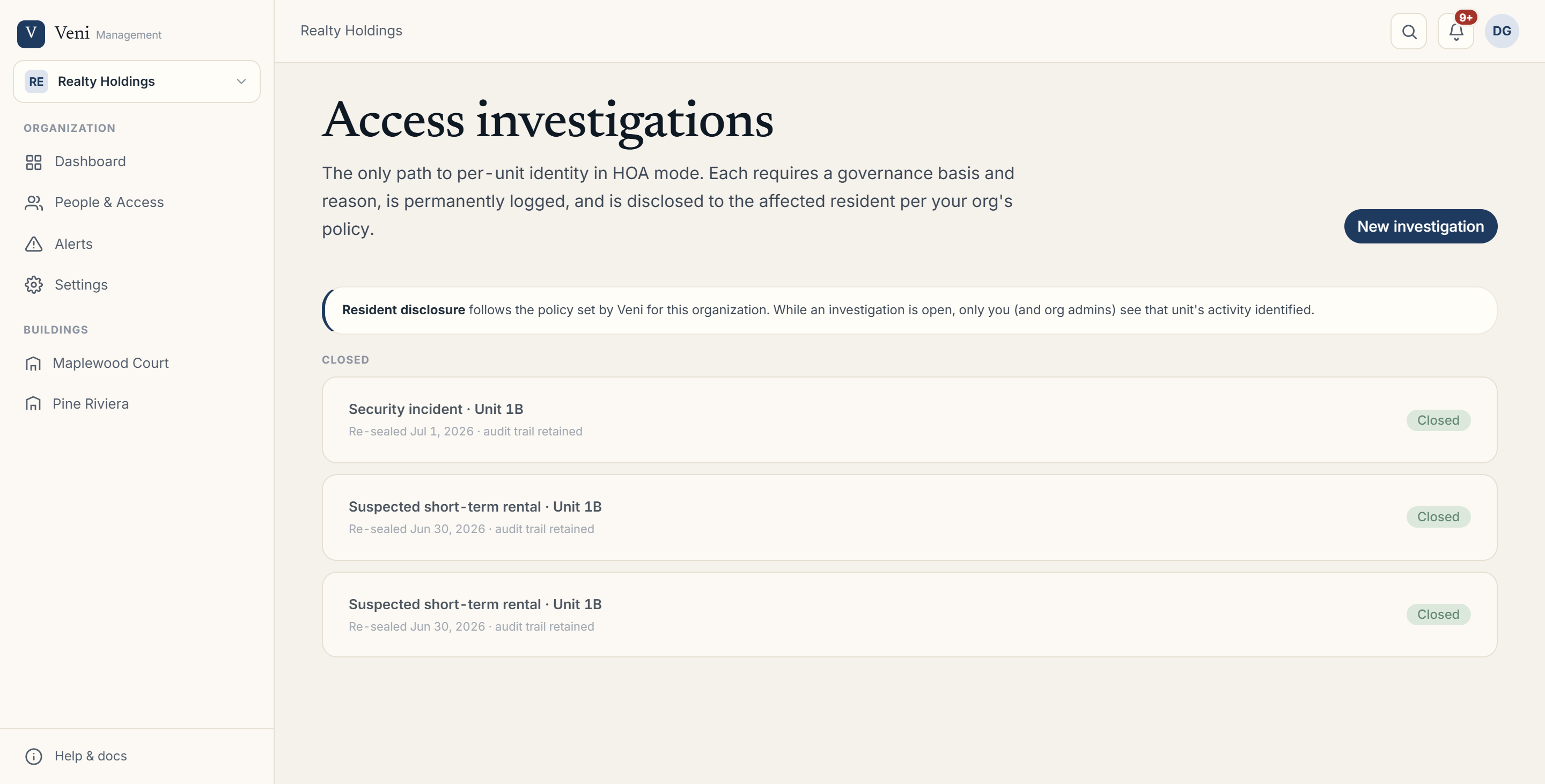 The Access investigations page showing the resident-disclosure notice banner and the Open list of investigation cards
Opening an investigation
If you have manage access to the Investigations section, click New investigation to open a modal with these fields:
- Building: select which building the unit is in.
- Unit: select the specific unit (populated once a building is chosen).
- Governance basis: one of Suspected short-term rental, Unauthorized occupant, Security incident, or Bylaw / rule violation.
- Reason & supporting detail: a free-text field to cite the complaint, pattern, or bylaw. This is recorded and disclosed to the resident.
- Identity window: how long identity stays unlocked, 7 days, 14 days, or 30 days.
A warning notice inside the modal restates that the resident is disclosed to per org policy, that the investigation is permanently audited, and that identity unlocks only for the chosen window before re-sealing. Click Open investigation to submit.
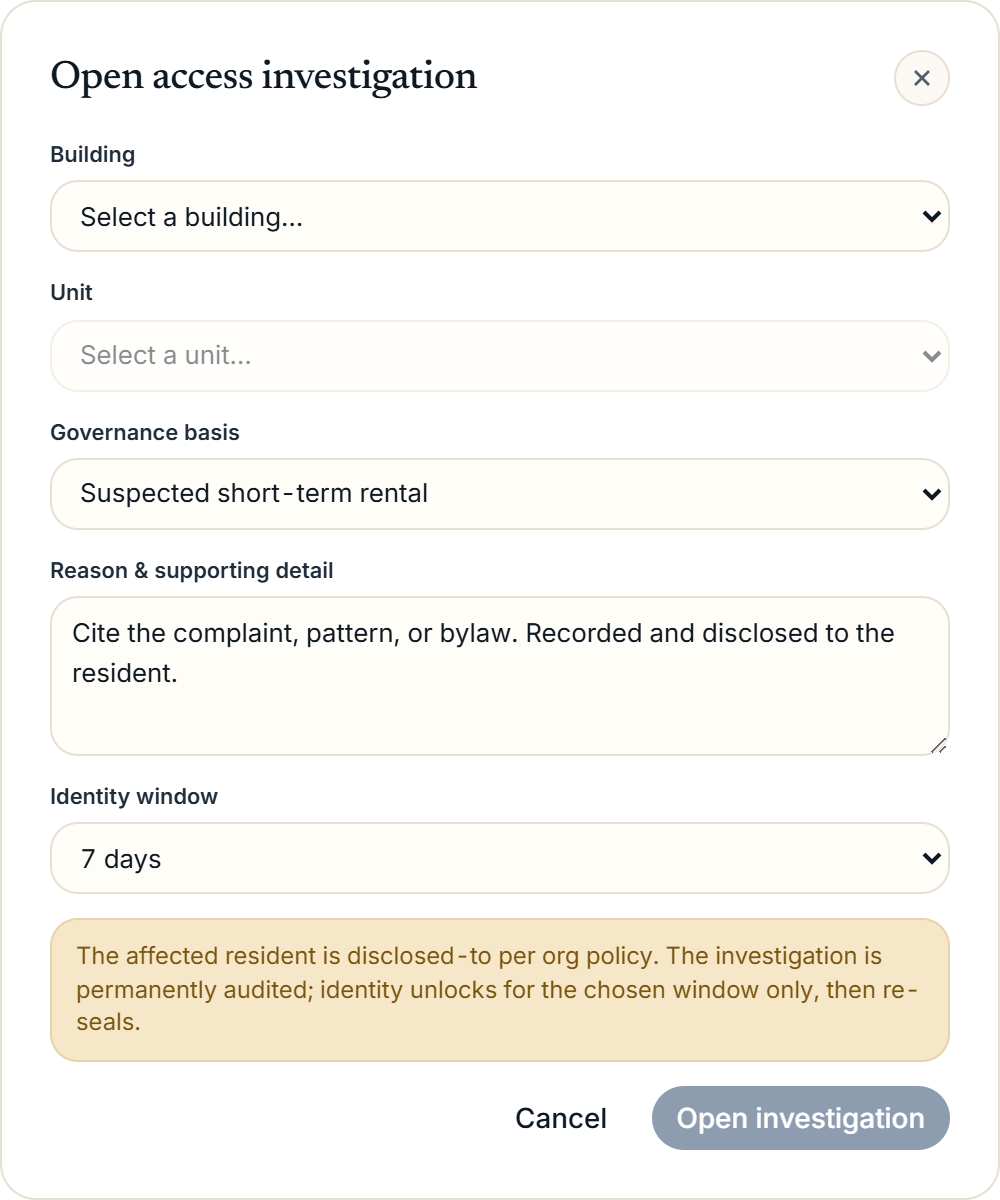 The Open access investigation modal showing the Building, Unit, Governance basis dropdown, Reason textarea, and Identity window selector
Open and closed investigations
The page lists investigations in two groups. Open cards show the governance basis, unit, who requested it, the reason, when identity unlocks until, and whether the resident has been notified yet. Closed cards show when the investigation was re-sealed, noting that the audit trail is retained even after closing.
To close an open investigation, click Close on its card. Closing re-seals the unit's identity immediately; the permanent audit record stays in place regardless of open or closed status.
More in Security & privacy